

How to Organize Saved Logo Generations for Clear Comparisons
Learn how to streamline your logo history with a simple system for naming, grouping, and revisiting logo directions using Quicklogo.
Quicklogo Team
How to Organize Saved Logo Generations for Clear Comparisons
You have 38 saved logo generations and zero confidence you can pick the best one next week. Sound familiar? Logo history isn’t just about aesthetics; it's the backbone of a consistent brand rollout. A staggering 75% of consumers recognize a brand primarily through its logo, and maintaining consistency across platforms can correlate with a 23% revenue increase. Yet, founders often lose momentum because they can't reliably track iterations or recall why they favored a specific design direction.
In this post, we'll introduce a streamlined, founder-friendly system for organizing your logo iterations within a Quicklogo account. With a step-by-step approach to naming, grouping, and documenting decisions, you’ll transform logo chaos into a coherent history—making it easy to compare options, document choices, and ship a consistent final design across all channels. Stay tuned as we unpack this strategic system that turns your “too many options” problem into a documented pathway to your final logo.
Introduction: The Importance of Logo History
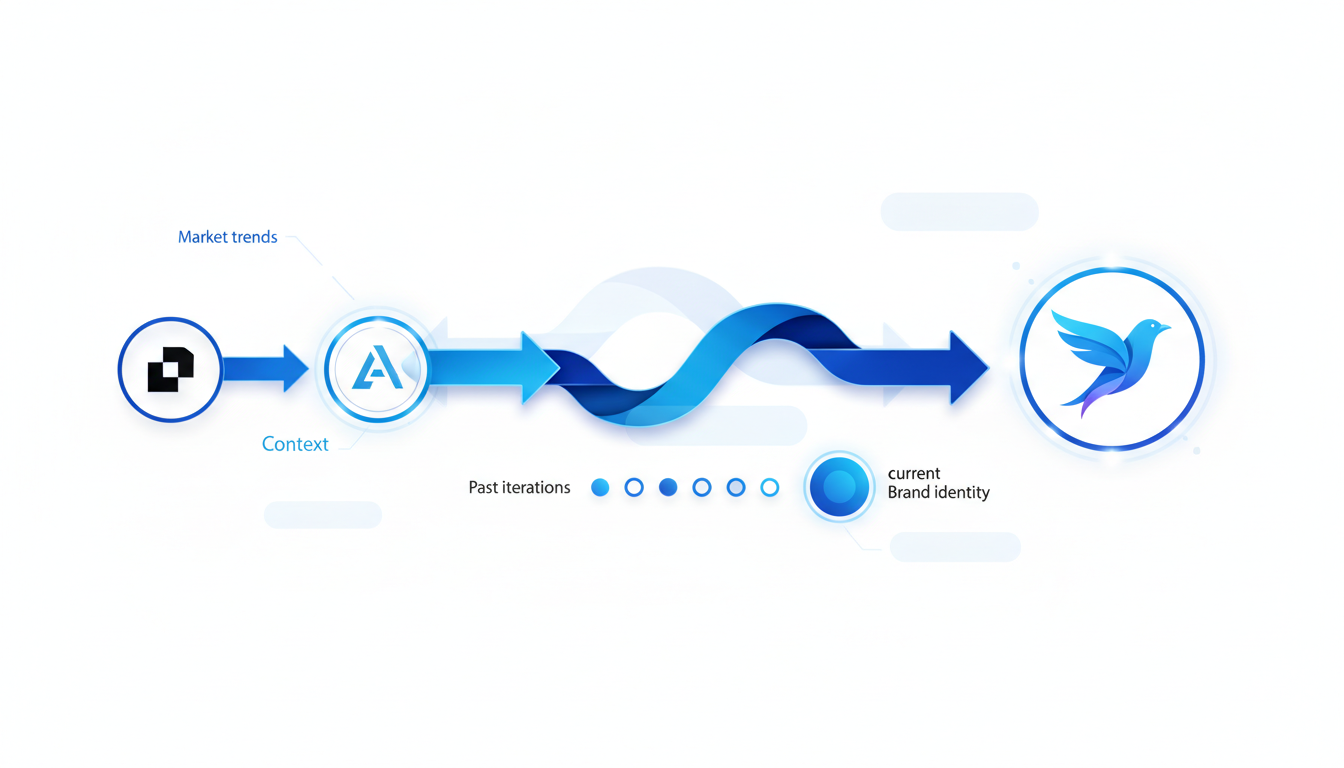
You have 38 saved logo generations and zero confidence you can pick the best one next week. Sound familiar? Let’s get straight to it: here’s a quick system for tracking logo iterations that will save you time and sanity. By implementing a consistent method for managing your logo history—the saved generations and edits trail—you’ll not only make faster decisions but also ensure brand consistency.
Why do logos matter so much? For starters, 75% of consumers recognize a brand primarily by its logo. A memorable logo is more than just an image; it’s the visual cornerstone of your brand identity. Consistent logo use across platforms can boost revenue by 23%, while inconsistency or outdated designs can deter 60% of potential customers. So, organizing your logo options isn’t busywork; it’s a business strategy.
Unfortunately, many founders grapple with managing multiple logo versions—especially when using AI tools like Quicklogo. Imagine generating a plethora of options, only to find yourself lost in a sea of versions, unable to remember why or how you reached certain design choices. It’s a common iteration history problem, not just a design dilemma.
Let’s address this head-on with a lightweight system tailored for Quicklogo users. You’ll be able to quickly name, group, and compare your saved logo designs, accelerating your selection process. Implementing a simple naming convention and using folders or tags to group similar logos can radically transform how you perceive your logo library.
To top it off, maintaining a decision log not only serves as a historical record but also paves the way for informed future choices. Document the reasons behind each version’s tweaks or rejections, so you don’t end up re-evaluating the same designs from scratch. A rigorous approach to your logo history can convert those “too many options” into a clear path to the final mark.
So, ready to turn your chaotic logo stash into an organized archive? Here’s how you can master your logo history and reveal the consistency that drives brand success.
The Foundation of a Clean Logo History
Setting up a clear logo history in your Quicklogo account is like creating an organized library for your brand’s visual journey. This isn't just about file storage; it's about systematically managing your logo iterations to maintain coherence and brand impact. With logo history, you capture every version, tweak, and selection decision, ensuring you retain the context necessary for an informed final choice.
What is 'Logo History'?
In the context of Quicklogo, logo history refers to the meticulous tracking of all saved logo generations. Think of it as a visual diary where each iteration—whether it's a change in color, type, or icon—is documented. This setup allows you to see at a glance how your ideas have evolved and to make comparisons effortless.
What Assets to Organize
To effectively manage your logo history, focus on organizing:
Colors: With 81.6% of top brands using two or fewer colors, documenting your color choices helps in keeping consistency.
Typography: According to recent trends, 55.6% of text-based logos are in uppercase for visibility. Make sure you record any typeface and casing choices.
Icons and Designs: Given that 66.8% of top company logos are asymmetrical, noting shape changes or iconography direction (like choosing a gradient or neo-minimalism style) is crucial.
"Logos are among the most identifiable elements that a brand has," says Renderforest. With well-organized assets, your logo not only represents your brand but also tells its story effectively.
Benefits of a Documented Path
Here's why maintaining a comprehensive logo history is essential:
Informed Comparisons: Easily compare different iterations to determine which aligns best with your brand narrative, especially when using Quicklogo’s AI-driven design capability.
Consistent Branding: Logos are central to brand recognition—75% of consumers recognize brands by their logos. Organizing your logo history prevents inconsistencies across platforms, contributing to a potential 23% revenue boost from consistent use.
Contextual Decision-Making: By reviewing your iteration history, you understand the rationale behind previous design choices, which keeps the decision-making consistent and informed.
To get started, leverage Quicklogo's feature to save, tag, and revisit variations within your account. This creates a single source of truth for all your logo versions and ensures that when it’s time to launch, you have a cohesive, well-documented visual identity ready to enhance brand recognition.
With a structured approach to managing your logo iterations, you turn a complex process into a streamlined workflow — one that not only saves time but also strengthens your brand’s visual storytelling.
Step 1: Setting Up Your Naming Convention
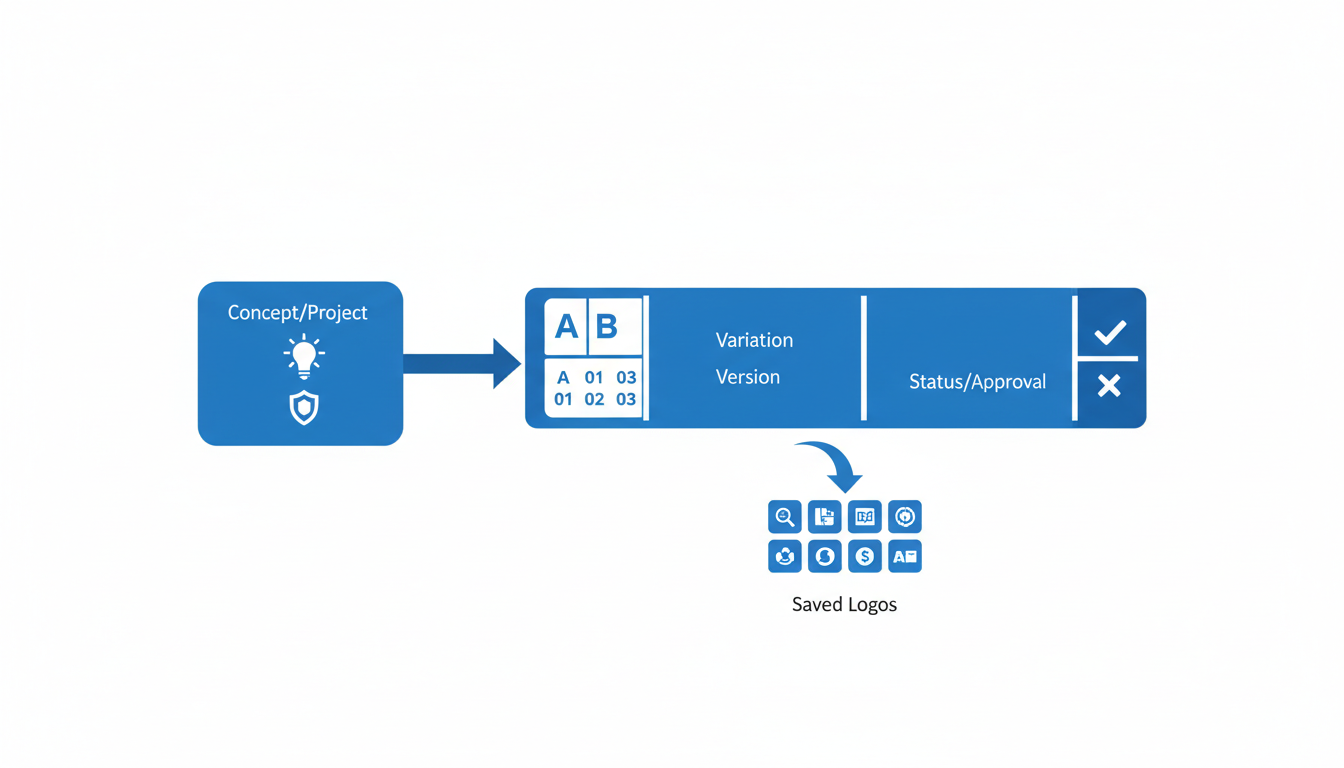
Let's dive right into a crucial piece in your logo iteration journey—naming conventions. This might sound trivial, but having a structured naming system is like finding the Rosetta Stone for your logo versions. It’s about ensuring you, as a founder, maintain clarity amid the whirlwind of creative options, allowing you to revisit why you liked—or scrapped—certain designs with ease.
The Core Insight: Establishing a clear, repeatable naming structure helps track logo progress across iterations, allowing for quick, informed decision-making.
Here’s a straightforward naming convention tailored for Quicklogo generations to keep you organized:
- [ProjectName][Feature][Version]_[Date]
For example, if you’re iterating on a logo for “BrightStart,” your filenames might look like this:
BrightStart_Icon_v1_2023-10-01BrightStart_Wordmark_v2_2023-10-03BrightStart_ColorAlt_v3_2023-10-05
This format ensures each file provides information at a glance—what the logo is, which version it belongs to, and when it was created. By labeling with features like “Icon” or “Wordmark,” and including the version number and generation date, you can effortlessly track your logo iteration journey.
Common Mistakes:
Vague Names: Avoid generic filenames like “newlogo.png” or “final2.png.” They provide no context and can easily be confused, causing you to waste precious time re-evaluating.
Inconsistency: Stick to the convention. Often, people start with good intentions, but inconsistency creeps in over time. This is a key downfall that erodes the system’s value.
Overcomplication: Keep it simple. Your goal isn’t to cram every detail into the name; it’s to highlight the essentials. The filename should be informative but concise.
Key Takeaway: Effective naming conventions are a simple yet powerful tool. They link your saved logo generations seamlessly to your creative decision-making process, transforming chaos into clear, actionable insights.
By establishing this system, you're setting up a “single source of truth” for your logo variations, ultimately paving the way for not only organized storage but also consistent brand rollouts. This organization aligns with Quicklogo’s account-based storage, ensuring your logo history isn’t merely a collection of files but a navigable narrative of your brand’s evolution.
Step 2: Grouping Logo Versions Effectively
Creating a clear system for organizing logo iterations is essential for any founder dealing with multiple logo variations. With Quicklogo, you can streamline this process using folders and tags, allowing for quick access and easy comparisons.
Setting Up Folders and Tags in Quicklogo
Start by setting up folders to organize your saved logo generations in Quicklogo. You’ll want to create distinct folders for different logo variations you plan to explore. For instance, have separate folders for icons, wordmarks, or combinations of both. This way, each version has its place, making it simple to find and compare different styles. Use tags to further distinguish the logos by additional attributes such as color palettes or typography choices.
Folders to consider:
- Icon Logos
- Wordmark Logos
- Combination Logos
Tags to use:
- Color Variants (e.g., two-color, gradient)
- Typography Style (e.g., sans-serif, script)
By leveraging folders and tags, you'll avoid the chaotic mess of files named “logo-final-final2.png,” giving each iteration a clear context.
Types of Groupings
Grouping your logos into categories allows for efficient comparisons. Some key groupings include:
Icon vs Wordmark: This helps you focus separately on purely image-based logos versus text-based ones. Icons express brand identity through symbolism, while wordmarks utilize the name itself, often employing distinct typography.
Color Palettes: Group logos by dominant color schemes. Given that 30.8% of logos feature blue, followed by red and grayscale, think strategically about your own color choices and check which variations resonate with your brand vision.
Typography Choices: With 55.6% of text-based logos being fully capitalized for visibility, examine how different fonts and arrangements impact the overall design.
Maintaining an Organized System
Consistency in organization is key. Regularly revisit and update your folders and tags as you iterate and refine your logo. By maintaining an organized repository, you reduce decision fatigue and ensure that when the time comes to roll out your logo across various channels, you’re relying on a consistent and well-documented system.
“Logos are among the most identifiable elements that a brand has,” advises Renderforest, so keeping an organized logo history ensures brand consistency, leading to a potential 23% increase in revenue through cohesive brand presentation.
Comparison/Data Table
Here’s a simple breakdown of how you might set up your folders and tags within Quicklogo:
| Folder | Typical Tags | Description |
|---|---|---|
| Icon Logos | Two-color, Gradient | Icon-centric logos with color variations. |
| Wordmark Logos | Sans-serif, Bold | Text-based logos with different typography. |
| Combination Logos | Blue, Asymmetrical | Logos combining text and icons. |
This structured approach to grouping your logo versions in Quicklogo can turn a disorganized pile of files into a systematic archive, paving the way for clear, informed decision-making.
Step 3: Documenting Decisions with a Log
Keeping a detailed logo decision log is essential for maintaining long-term brand consistency and ensuring that your logo iterations serve a clear purpose. As a founder, you'll often revisit past choices to understand why certain logos were favored or discarded. This documentation is your roadmap to making informed, strategic branding decisions.
Start by establishing a simple template for your decision log. This log should include:
Logo Version: Identify each iteration clearly. Use a naming convention such as "Project-Icon-v1" or "Brand-Wordmark-v2" to keep track of changes easily. This reduces confusion, especially when revisiting options after weeks or months.
Date: Record when the decision was made. Timely records can offer insights into design trends or strategic shifts at that moment.
Reason for Decision: Outline why certain logos were selected or rejected. Were they aligning better with your brand's message? Did they fit modern design trends like neo-minimalism or asymmetry?
Feedback & Notes: Include any internal or external feedback. Did a particular color palette resonate more with test audiences? Did a focus group prefer text-based logos, possibly due to the fact that 55.6% of text logos are fully capitalized for better visibility?
Next Steps: Identify follow-up actions, such as further tweaks or testing across different media to ensure that the logo remains effective and consistent in various contexts.
Here's an example of how this might look:
| Logo Version | Date | Reason for Decision | Feedback & Notes | Next Steps |
|---|---|---|---|---|
| Brand-Icon-v3 | 2023-03-15 | Chosen for its clean neo-minimalistic design. | Market feedback emphasized clarity; aligns with 75% of brands recognized by their logo. | Test color variations for impact. |
| Brand-Wordmark-v2 | 2023-03-20 | Rejected due to outdated typography not in line with current brand voice. | Internal review noted lack of modern appeal which is crucial as 60% avoid outdated logos. | Explore updated typeface options. |
Establishing this log isn't just about keeping records; it's about building a single source of truth for your logo's evolution, enhancing consistency, which can correlate with a 23% revenue increase. By systematically documenting your logo history, you're better equipped to make decisive choices and keep your brand visually consistent across all platforms. Plus, having this organized system ensures you avoid the chaotic "logo-final-final2.png" scenario, steering clear of inconsistency that can confuse or repel customers.
Embrace this process as part of your Quicklogo workflow. As your designs iterate from generation to download, utilize Quicklogo's platform to store and categorize your visual assets alongside their decision logs. Remember, a documented logo history isn't just archival; it's a strategic tool for sustaining a cohesive brand identity.
Conducting a Comparison Session
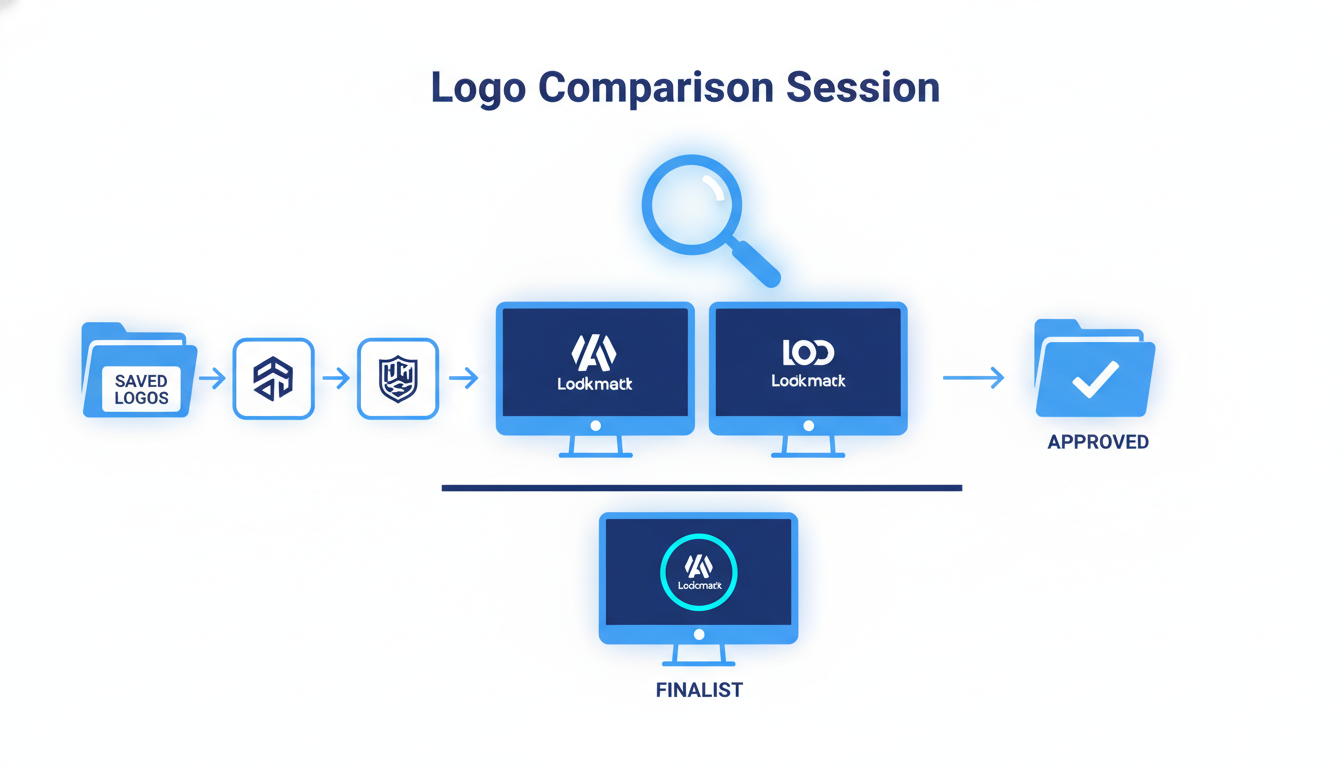
Embarking on a logo comparison session can be daunting, especially when you're sifting through dozens of saved generations. The key is a structured approach to efficiently compare versions and make confident decisions.
Gather Your Generations with Quicklogo
Start by organizing your saved logo generations within your Quicklogo account. This will ensure a streamlined session where you compare thoughtfully. Quicklogo allows you to group your logos based on design elements like iconography, color schemes, or typography variations. By categorizing them, you’ll easily spotlight differences and maintain brand consistency.
Utilize Constraints for Faster Decisions
To avoid analysis paralysis, apply specific constraints during the comparison. Leverage design statistics to inform your decisions:
Color Use: Recognize that among the top brands, 81.6% use two or fewer colors in their logos. Consistency in color can amplify brand recognition. Imagine narrowing options to a palette of blue—a color featured in 30.8% of logos—and another color of choice.
Symmetry and Balance: Embrace the trend that 66.8% of top logos are asymmetrical. Asymmetry can convey modernity and dynamism, aligning with current design trends.
Respond to Trends: Incorporate emerging styles like neo-minimalism and dynamic elements such as gradients, used by brands like those in the Fortune 500. A gradient logo can add depth while maintaining simplicity.
Real Examples Using Quicklogo
Within Quicklogo, engage with its variations by utilizing the comparison checklist. You might have two designs: one is an asymmetrical wordmark, appealing to tactile modern art, and another, a two-color icon, aligns with the traditional branding ethos. By checking these against trend data and personal brand goals, you can confidently choose which version aligns best.
Quicklogo makes it easy to revisit choices stored in your account, keeping track of previous decisions and style preferences. This reduces rework and ensures that when a final logo is selected, it’s cohesive across all platforms.
Expert Takeaway: Successful brands understand the value of consistency. "Logos are among the most identifiable elements that a brand has," says Renderforest. Therefore, choosing a direction that not only matches trends but also resonates with your target audience is vital.
By methodically applying these steps, you transform what could be an overwhelming task into an insightful process, turning your various logo generations into a documented path toward the final mark. With Quicklogo’s features, you streamline this journey, ensuring every decision is both strategic and swift.
Maintaining an Organized System
Weekly Checks and Hygiene: Creating and maintaining a clutter-free logo archive is crucial for efficient decision-making. Start by scheduling a quick weekly review of your saved logo generations in Quicklogo. This helps prevent clutter and ensures that only relevant logos remain in focus. By consistently tidying up, you avoid the overwhelm of facing a messy archive when making important decisions. Aim to only keep those logos which represent genuine directions you're considering. This simple habit can streamline your process and keep your creative space efficient.
When to Archive and Regenerate Logos: Deciding when to archive old logos and when to regenerate new ones can significantly impact your brand’s fluidity. If a logo no longer aligns with your evolving brand direction or if it's been consistently bypassed in favor of others, it's time to archive it. Quicklogo makes this easy with its built-in storage features—simply move outdated logos to a designated archive folder. However, if the current trends or your brand needs change, consider regenerating logos to explore fresh directions. This flexibility is crucial, as a consistent logo can contribute to a 23% increase in revenue across platforms.
Long-term Strategies for Evolving Brand Directions: As your brand grows, so should your logo strategy. To align with contemporary design trends like neo-minimalism or dynamic elements, regularly revisit and assess your logo collection. Consider setting quarterly or bi-annual review sessions where you evaluate your logo variants and decide on potential updates. This proactive approach ensures your brand remains current and resonant with your audience. Remember, 60% of consumers avoid brands with outdated logos, so keeping your designs fresh can help retain and expand your customer base.
"Logos are among the most identifiable elements that a brand has," says Renderforest, highlighting the importance of keeping your logo strategy aligned with your broader brand vision.
By embedding these practices, your logo system evolves alongside your brand, ensuring coherence, modernity, and the ongoing ability to make swift, informed decisions—empowering your brand to thrive.
Quicklogo Walkthrough: Account-Based Workflow
Navigating Quicklogo’s saved generations is key to maintaining a clear logo history for your brand. Start by heading to your Quicklogo account, where all your generated logos are stored. This centralized location acts as a visual archive, ensuring that you can easily browse previous iterations without the chaos of misplaced files. The intuitive interface allows you to quickly locate the saved versions, which are ready for comparison and refinement whenever you need.
Revisiting and managing your logo changes is streamlined with Quicklogo's features. Each logo generation is not just saved but also linked with the prompts and customizations you applied, helping you recall exactly why a direction was favored or rejected. This reduces the common frustration of losing context between iterations. By returning to these saved states, you maintain a clear memory of your branding journey, avoiding the trap of repeating past mistakes or exploring already dismissed designs.
Integrating organization into Quicklogo’s features enhances your workflow significantly. Utilize the folder and tagging system to group logos by themes like wordmark, icon, or even by specific projects or campaigns. This categorization not only facilitates easy navigation but also sets up a strong foundation for comparisons. You can create a dynamic comparison checklist right within the platform, evaluating elements like color schemes, typography choices, and layout consistency. This structured approach aids in making informed decisions quickly, leveraging insights like the fact that 81.6% of top global brands use two or fewer colors in their logos.
Additionally, logging decisions is simple with Quicklogo's account-based workflow. Each iteration can include notes on why certain choices were made, backed by industry data—for instance, the observation that consistent logo use across platforms can boost revenue by 23%. This decision log becomes a living document, offering a comprehensive view into the rationale behind your branding evolution over time.
Transform the way you manage your logo history using Quicklogo’s tools, ensuring every decision is deliberate, documented, and driving your brand forward. With Quicklogo, every iteration isn’t just a step towards finding the perfect logo; it’s a strategic move in crafting a recognizable brand identity.
Conclusion: Turning Options into a Final Mark
Creating a clear and organized logo history is more than just sorting files; it's about setting the foundation for brand consistency. By managing your logo iterations effectively, you ensure that your final choice aligns with your brand’s vision and stands strong across various platforms, driving recognition and boosting revenue. Remember, 75% of consumers recognize a brand primarily by its logo, so this isn’t just a task—it's a strategy.
Simplifying Logo Management
To simplify your logo management, implement a system that’s quick to set up and easy to maintain. This involves using an intuitive naming convention, grouping similar designs, and establishing a decision log to document why certain choices were made. With Quicklogo, you can generate, customize, and store your logos, making it a one-stop shop for all these needs. Its fast AI-driven processes allow you to iterate quickly, ensuring that your chosen design isn’t just the best now, but will be consistently recognizable in the future.
"Logos are among the most identifiable elements that a brand has," says Renderforest, highlighting their importance in branding efforts.
Taking the First Steps Today
As a founder, it’s essential to take the initial steps toward establishing a robust system for managing your logos. Start by setting up your Quicklogo account and apply the naming conventions discussed. Run a comparison session to see your logos side by side, using real data to make informed choices. Note that consistent logo use across platforms correlates with a 23% revenue increase, so this isn’t just organization for organization’s sake.
With a clean logo history, you'll turn the chaos of options into a clear path to your final mark. Ready to begin? Set up your naming conventions today and run a 30-minute comparison session. Your brand’s clarity and consistency depend on it.
Frequently Asked Questions
Why is organizing logo versions important?
Organizing helps maintain brand consistency, which can increase revenue by up to 23%.
How does Quicklogo support logo version management?
Quicklogo provides a storage system for all saved logo generations, making it easy to organize and revisit options.
What naming convention should I use for logo versions?
Use a structured format, like [Project Name][Version][Date] to keep everything orderly.
What should be included in a logo decision log?
Include reasons for selecting or discarding each logo to maintain a clear history of your branding decisions.
How do I compare multiple logo designs effectively?
Conduct structured comparison sessions using criteria like color schemes, symmetry, and brand fit.
Final Thoughts
A well-organized logo history transforms the overwhelming task of choosing from many options into a structured journey toward your ideal brand identity. By following the system of naming, grouping, comparing, deciding, and archiving, the path to your final logo becomes much clearer and more efficient.
Here are some key takeaways to remember:
- Establish a Naming Convention: Start by labeling each logo variation consistently.
- Group Similar Designs: Organize your logos by theme or concept to streamline comparison.
- Hold Comparison Sessions: Regularly review and evaluate options to narrow down choices.
- Make Informed Decisions: Choose the best designs based on clear criteria and feedback.
- Archive for Future Reference: Keep records of your design iterations for potential rebranding or enhancements.
Now, take action by setting up your naming convention today. Then, schedule one 30-minute session to compare and evaluate your current logo options. To get started, visit Quicklogo for fast logo generation, and check out our internal posts for more on generating and choosing the perfect logo.
Back to all posts