

How to Create a Logo in Minutes for a Last-Minute Launch
Discover a time-boxed method to generate and choose a launch-ready logo quickly, perfect for last-minute deadlines. Ship a professional logo today.
Quicklogo Team
How to Create a Logo in Minutes for a Last-Minute Launch
Launching a product under pressure is no small feat, especially when every detail matters—like your logo. Imagine your startup's big reveal is just hours away. But don't stress; what if I told you that creating a credible logo doesn't have to be a lengthy, agonizing process? With Quicklogo's AI-driven system, you can have a "logo in minutes." Forget about perfect brand identity and focus on what you truly need: a credible, versatile logo ready to deploy across platforms instantly.
In this post, you'll discover a precise, time-boxed logo sprint plan, perfect for early-stage founders and team leaders. We’ll walk through generating multiple design directions swiftly, narrowing down choices with a practical scoring rubric, and ensuring your logo is launch-ready with the essential variations and checks. Whether you have 15, 30, or 60 minutes, this is your roadmap to a minimum viable logo that's both professional and versatile. Say goodbye to last-minute jitters and hello to confident launching.
Introduction: Ship a Logo Today
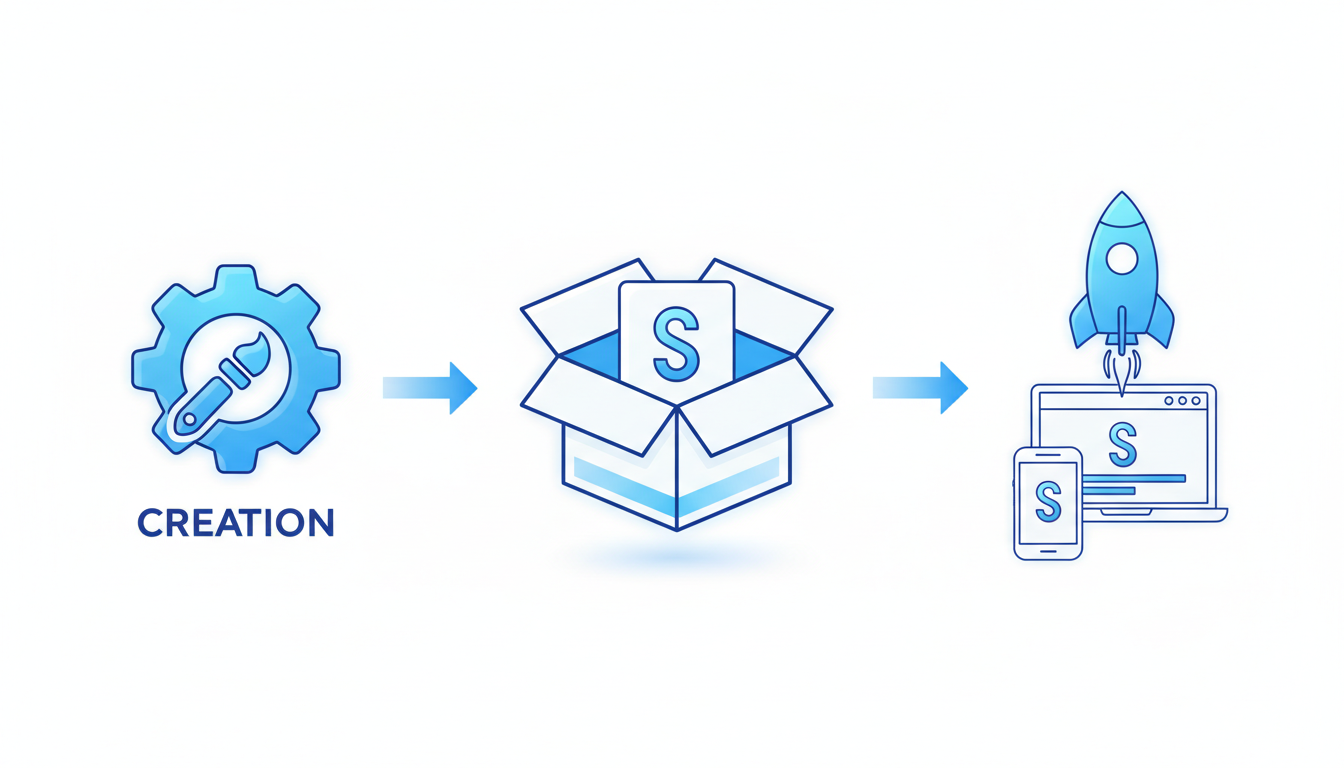
Picture this: you're launching a project, and the clock is ticking down to reveal time. You need a logo, and you need it fast. Luckily, creating a logo in minutes is not only possible—it's practical, thanks to intelligent tools like Quicklogo. This isn’t about crafting the perfect brand identity; it’s about delivering a "good enough to trust" logo right when you need it most.
Here’s the secret sauce: treat logos like deployable assets, not extensive design projects. By focusing on a minimum viable logo, you strip away the stress of endless iterations and indecision. Imagine simply generating several options in seconds and selecting one based on a straightforward set of criteria—this is what Quicklogo offers.
Quicklogo's process is a masterclass in efficiency, emphasizing speed and simplicity. In just a few clicks, you can generate multiple logo options tailored to your specific needs. Thanks to its advanced AI, trained on thousands of professional examples, these logos are ready to go without the hassle of back-and-forth design revisions.
The tool's intuitive workflow—generate → select → edit/customize → download—means you can quickly adapt a logo to fit your brand's color scheme or style if necessary. Plus, it supports various file formats, ensuring your logo is usable across websites, social media, and more.
Feeling anxious about quality? Don’t be. The focus here is on what’s truly crucial: your logo being legible at small sizes, distinctive, and versatile enough for both dark and light backgrounds.
So, if you're overwhelmed but under time, Quicklogo is your ally. With its help, that countdown to launch can include a reliable, sharp logo to mark your brand's debut.
What Does Launch-Ready Mean?
When you're on the brink of launching, a launch-ready logo is your reliable companion across various platforms. It’s not about crafting a full brand identity—it's about ensuring your logo functions effectively wherever it's placed. Let's dive into what you need.
First, you'll require several logo variations to ensure versatility:
Light and Dark Versions: Different backgrounds demand different logo adaptations. Having light and dark versions ensures consistency whether your logo is against a bright white webpage or a sleek dark app interface.
Icon and Wordmark: While the icon serves well as a social media avatar or app icon, the wordmark, which is often text-based, might be more suitable for presentations or letterheads.
Favicon: This tiny graphic is crucial for browser tabs. At just 16x16 pixels, it demands clarity at a small scale—one of those often overlooked details that scream professionalism.
A logo that passes these tests meets your minimum viable brand requirements. It ensures that when your startup goes live, all touchpoints—from your website’s header to social media profiles—speak the same language, visually. A consistent look across platforms reinforces credibility, which is essential for new ventures seeking trust.
However, remember that being launch-ready doesn’t extend to a full-scale brand package. This isn't about nailing down every color palette, typography rule, or brand ethos. At this stage, perfectionism takes a backseat. Instead, focus on delivering a functional logo that feels cohesive and can grow with your brand.
"A launch-ready logo is your starting point, not your finish line. It's about practicality and immediate consistency," highlights many experienced designers.
For more on how to adapt logos to various platform demands, see our post on how to generate a logo online with Quicklogo for detailed guidance.
The Sprint Setup: Inputs in 5 Minutes
Alright, time is of the essence, so let’s streamline your sprint setup. Gathering key inputs is your first stop on the journey to a launch-ready logo. The goal here is to be quick, yet effective, ensuring you have everything you need before diving into the creative process.
Key Inputs to Gather
Company Name and Tagline: Write down your business name and tagline (if you have one). This forms the foundation of your brand identity and will be central to your logo’s design.
Industry Focus: Defining your industry is crucial. Are you in tech, food, fashion, or a different sector altogether? This helps in tailoring the logo to align with industry-specific aesthetics and expectations.
Brand Values: Jot down a couple of words that describe your brand’s core values. Think of terms like “innovative”, “sustainable”, or “luxurious”. These guide the tone of your logo and ensure it resonates with your target audience.
Quick Tip: Keep your inputs concise and clear; over-complicating stifles creativity and wastes time.
Using Prompt Templates
To expedite the process, utilize prompt templates. These templates help you articulate what your business stands for in clear, actionable terms that the Quicklogo AI can understand and interpret. For example:
- SaaS Company: “[Company Name] creates [specific solution] for [target audience], revolutionizing [industry].”
- Local Service: “[Company Name] offers [service] with a focus on [value], serving [community/area].”
These templates ensure that your logo aligns closely with the essence of your business and speaks directly to your potential customers.
Staying Focused
Why the quick setup? It’s tempting to meander through endless creative possibilities, but keeping a tight leash on time ensures you don’t get bogged down with second-guessing.
Time Box: Set a strict five-minute limit to gather these inputs. Use a timer—seriously! It helps maintain momentum and prevents perfectionism from creeping in.
Clear “Go” Signals: You know you’re ready to proceed to the next step when you’ve articulated your business essentials clearly and concisely. If it takes longer, give yourself a nudge and move forward.
By collecting these inputs quickly and efficiently, you’re setting a strong foundation for the next phase, where Quicklogo’s AI will generate multiple options tailored to your specifications. Ready? Let's generate that logo!
For a deeper dive into organizing your thoughts for logo creation, check out our step-by-step guide using Quicklogo.
Step 3: Generate a Logo in Minutes (Not Hours)
When you're racing against the clock for a last-minute launch, you need a logo process that delivers immediate results. Enter Quicklogo—an AI logo generator that produces multiple options swiftly, allowing you to focus on your core business activities rather than getting bogged down in design work. Think of this as a 'launch-day sprint' where speed is essential, not perfection.
Quicklogo's workflow revolves around its ability to generate numerous logo options rapidly. Imagine typing a few key details about your business, and within seconds, Quicklogo presents several tailored designs. This speed-first approach is game-changing for startups that need a quick logo maker. AI training on thousands of professional logos ensures that the designs are not only fast but also visually compelling.
Here’s how you can leverage Quicklogo’s capabilities:
Describe briefly: Provide a short description of what your business does. The simplicity of the prompt is intentional, designed to keep the process streamlined.
Generate options: Within moments, you’ll have multiple logos to choose from. Quicklogo's AI presents variations in style and layout, mimicking the breadth and depth of professional design.
Select and refine: Quickly browse through these options and identify those that resonate with your brand ethos. The beauty here is the diversity—you’re comparing distinct possibilities, not just color swaps.
"Speed doesn’t sacrifice quality, thanks to Quicklogo's machine-learning models trained on a vast library of logos."
The advantages of using Quicklogo extend beyond speed:
- Multiple logo options: The AI can showcase different concepts, allowing you to find a direction that feels right.
- Customization: You can tweak colors and styles post-generation, ensuring your chosen logo aligns with your brand identity.
- File formats: Receive your logo in various formats, ready for any application from websites to social media.
Here’s a quick comparison to show why Quicklogo shines:
| Feature | Quicklogo | Traditional Design |
|---|---|---|
| Time to Generate | Seconds | Days to Weeks |
| Number of Options | Multiple per session | Typically 1-3 |
| Customization | Integrated editing | Involves back-and-forth |
| Cost | Credit-based, pay-as-you-go | Hourly/Flat Fees |
Using Quicklogo allows you to sidestep the pitfalls of traditional design processes—lengthy timelines and limited options. Ready to launch with confidence? Generate your AI logo in mere moments and keep your launch on track. Once you've selected your favorite, head over to our detailed guide on how to launch a logo today for best practices on rolling it out across your brand platforms.
Narrowing Down with a Scoring Rubric
When you’re racing against a launch deadline, decision fatigue can easily set in. That’s why a simple scoring rubric is crucial for quickly narrowing down your AI-generated logo options without second-guessing every choice. Here’s a practical framework to guide you through this process:
Key Insight
Focus on four core criteria: legibility, distinctiveness, fit, and versatility. These factors ensure your logo is not only aesthetically pleasing but also functional across various applications.
Preventing Decision Fatigue
The sheer volume of options AI tools like Quicklogo can generate might seem overwhelming at first. However, by applying a consistent rubric, you streamline your decision-making process.
Tip: Limit your initial shortlist to the top five logos based on this rubric to keep the decision-making manageable.
Scoring Rubric Criteria
| Criteria | Explanation | Score (1-5) |
|---|---|---|
| Legibility | Ensure the logo is clear and readable at all sizes, especially small icons. | |
| Distinctiveness | The logo should stand out from competitors and be memorable. | |
| Fit | How well does the logo align with your brand’s identity and market sector? | |
| Versatility | Can the logo function well across different mediums and color backgrounds? |
Examples of Good vs. Bad Choices
Good Example
A logo with high legibility might feature clean, simple typography that remains readable even when shrunk to favicon size. Distinctive designs could include unique symbols or creative font tweaks that make your brand memorable. Versatility is showcased when a logo maintains its impact across platforms—websites, social media, and pitch decks—regardless of the background.
Bad Example
Conversely, avoid designs cluttered with intricate details that blur when scaled down. Overly complex logos might score low on legibility. Logos lacking distinctiveness might blend into the competitive landscape, missing an opportunity to capture interest. Logos that falter when placed on dark versus light backgrounds illustrate poor versatility.
By focusing on this rubric during your 30-minute sprint using Quicklogo’s fast generation capability, you can make quick, efficient decisions that lead to a credible, launch-ready logo. For more insights on logo selection, check out our checklist for choosing a professional logo from AI options.
Quick Refinements and Variants
When you're racing against the clock to launch your startup, refining your logo swiftly is crucial. Quicklogo makes this process a breeze with easy customization options that ensure your logo is ready for any real-world application. Here’s how you can make quick adjustments and prepare variants that fit your brand’s needs.
Start by utilizing Quicklogo’s built-in customization tools. You can tweak colors, layouts, and even adjust the typography to better align with your brand’s aesthetics. Customizing colors is essential for brand consistency and ensuring your logo stands out, whether it's on a business card or a website header. Don't be afraid to experiment with different color palettes; Quicklogo’s interface is designed for fast iteration, allowing you to see changes in real-time without slowing down.
To ensure your logo scales well across various platforms, generate multiple variants. This step is crucial for maintaining logo scalability and legibility. Quicklogo allows you to create dark and light versions, ensuring excellent visibility on different background colors. This is particularly important for platforms that automatically switch between dark and light modes, like certain social media sites.
Next, prepare specific variants for key placements:
- Favicon: This tiny logo appears on browser tabs. Quicklogo can help resize your main logo without losing clarity.
- Social Avatar: Ensure your logo is recognizable at smaller sizes. Quicklogo’s templates allow you to test different avatars with optimal clarity.
- Header Lockup: Adapt your logo for more significant, banner-like spaces where additional elements, such as slogans, can be integrated.
By focusing on these refinements, you ensure your logo not only looks professional but also remains versatile across various mediums. The goal is a cohesive brand image that translates beautifully from digital to print, fulfilling your minimum viable logo spec with Quicklogo’s efficient tools.
Key Takeaway: Quicklogo’s customization features empower you to adapt your logo for different uses quickly, ensuring it remains distinctive and effective across all channels.
Deployment Checklist: Key Logo Uses
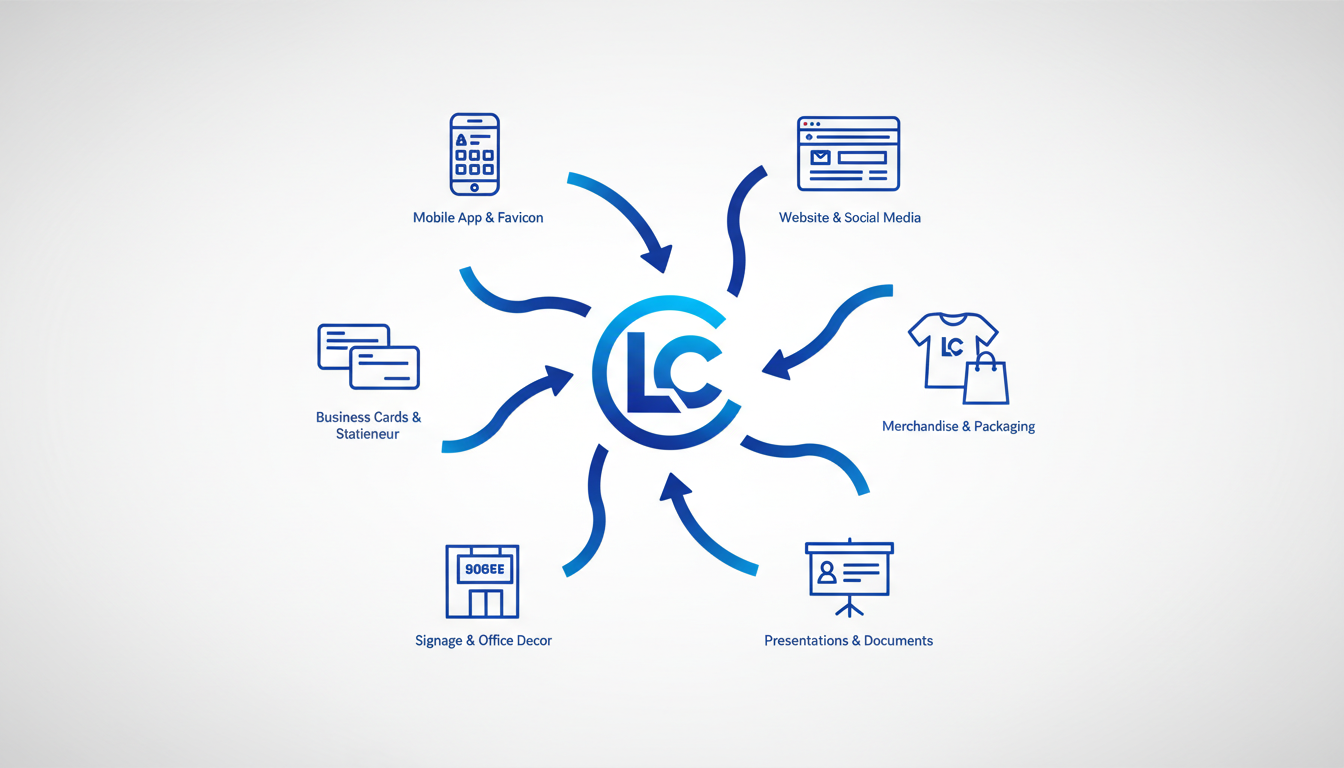
Launching with a polished logo requires understanding where it needs to shine from day one. Let's break down the immediate applications and format essentials to ensure your logo hits the ground running right after your sprint.
1. Website Header Your logo should appear prominently on your website’s header. Use a high-quality PNG for clarity across different devices. Ensure the logo is legible and distinct against varying background colors, especially if your site offers light and dark modes.
2. Favicon Don’t overlook the tiny yet crucial favicon. This is the small icon appearing in the browser tab, often a simplified or abbreviated version of your main logo. A 32x32 pixel PNG works perfectly, but SVG is recommended for its scalability and clarity without quality loss.
3. Social Media Profiles Your logo needs to adapt to various social media dimensions, from circular avatars on Twitter to square formats on Instagram. Use a versatile logo mark that remains recognizable, typically delivered in JPEG or PNG format at a resolution no less than 400x400 pixels to accommodate different platform requirements.
4. Email Signatures A consistent email presence builds professionalism. Embed a smaller PNG logo in your email signature, ensuring it doesn’t disrupt email load times. A size of around 300x100 pixels is optimal to maintain readability without cluttering the space.
5. Pitch Decks Your presentation is your storytelling tool. Use a high-resolution PNG or SVG for clean scaling on large slides. Ensure the logo fits naturally within the slide design, enhancing rather than overpowering the narrative.
Consistency Tips
- Always refer to your logo usage guidelines to ensure consistent application across all platforms.
- Maintain uniformity in typography and color schemes as outlined in your brand identity to enhance brand recall and professionalism.
By having these formats ready, you prevent disruptions later and ensure your startup appears cohesive and reliable from its big launch day.
Avoiding Common AI Logo Pitfalls
When you're racing against the clock to launch a logo, it's easy to fall into some common AI-generated design traps. Here’s how to avoid them:
1. Generic Look
One of the most common pitfalls in AI logo design is ending up with something that looks like a hundred others—a branding no-no. AI generators often base their designs on existing templates, which can lead to generic logos that fail to stand out. To counter this:
- Use unique prompts that highlight specific elements of your brand. Instead of "tech logo," try "modern, playful tech logo with a dash of vintage flair."
- Customize your logo in Quicklogo post-generation. Make use of Quicklogo's customization options to tweak your logo's colors, fonts, and icons, crafting something distinct.
2. Illegibility
Logos must remain clear at all sizes, from a favicon to a large poster. Some AI-generated logos may look good large, but become illegible when scaled down. To ensure your logo maintains its clarity:
- Test your logo at small sizes immediately after creation. Quicklogo offers fast downloads of different file formats, so use these to check scalability.
- Choose typography carefully. Opt for clear, bold fonts that remain readable even on small screens.
3. Inconsistency Across Backgrounds
Logos need to perform well on both light and dark backgrounds—a mismatch can seriously disrupt your branding. Avoid this pitfall by:
- Exporting multiple logo variants. With Quicklogo, you can quickly generate light and dark mode versions, ensuring your logo works in any scenario.
- Test your logo in various real-world contexts, such as social media profiles and landing pages.
“A logo doesn’t need to be perfect to launch; it needs to be adaptable and functional across your brand touchpoints.”
For more insights into avoiding these pitfalls, check out 10 Logo Design Mistakes to Avoid When Using AI Logo Makers. Remember, the key is not to aim for perfection right now, but to ensure functionality and clarity in your last-minute launch.
What to Do After Launch: Iteration Tips
Once you’ve shipped your logo quickly with Quicklogo, it’s important to remember that iteration is key. A quick launch doesn't mean you're locked into your logo forever. Here’s how to refine your brand identity over time.
Embrace Continuous Improvement
Post-launch, gather feedback from users, team members, and partners. Listen for comments about the logo’s clarity, uniqueness, or adaptability across different mediums. This is your compass for making improvements. Many startups find that as they grow, their initial designs no longer reflect their evolved brand values or market position.
Identify When to Revisit
Key moments to consider updating your logo are during feedback loops, rebranding phases, or significant business growth. Keep an eye on metrics like engagement and conversion rates if they can be tied to brand perception. When your business takes new strategic directions, a logo update might help align your visual identity with future goals.
“A brand is a living entity—and it is enriched or undermined cumulatively over time, the product of a thousand small gestures.” — Michael Eisner
Transitioning from Temporary to Permanent
A smooth transition from a temporary logo to a permanent one involves planning. Use insights from initial iterations to craft a more enduring design. Quicklogo makes it easy to return to your saved designs, modify them, or generate new concepts tailored to your evolving needs. This ensures that your logo grows with your business, maintaining relevance and appeal.
Practical Steps for Iteration
- Set regular intervals to review brand assets (e.g., every six months).
- Conduct small-scale visual tests using different colors or layouts.
- Engage your community with polls or surveys to gain broader insights.
Remember, your logo is a dynamic asset. Regular updates, informed by data and feedback, can help it reflect your brand's growth and vision. Keep iterating—your brand depends on it.
Frequently Asked Questions
What is a minimum viable logo?
A minimum viable logo is a logo that meets essential requirements for a launch, including different variants for key use-cases.
How fast can I create a logo with Quicklogo?
Quicklogo allows you to generate multiple logo options in seconds, ideal for urgent launch needs.
What variants should my logo include?
Essential variants include a light/dark version, favicon, social avatar, and a wordmark.
How do I choose between multiple logo options?
Use a simple rubric focused on legibility, distinctiveness, fit, and versatility to streamline your decision-making process.
Can I refine my AI-generated logo?
Yes, Quicklogo offers customization options for adjusting colors, layout, and other design elements.
Conclusion
Creating a logo for a last-minute launch doesn't have to be stressful. By following a streamlined sprint, you can efficiently produce a professional and functional logo. Here's a quick recap of the process:
- Brief: Define your logo's purpose and style.
- Generate: Use Quicklogo to swiftly create multiple options.
- Shortlist: Select the best designs that align with your brand vision.
- Validate: Ensure your logo looks great in various sizes and on different backgrounds.
- Export Variants: Obtain necessary formats for web and print.
- Ship: Deploy your logo confidently.
Using tools like Quicklogo, the entire logo creation journey is manageable and effective. Ready for the next step? Run the 30-minute sprint now, and remember, post-launch is the perfect time to iterate and refine your design further. For more guidance, explore our deep dives on choosing the right AI tools and common logo mistakes to avoid.
Back to all posts