

How to Launch a Logo Today: A Step-by-Step Guide Using Quicklogo
Discover how to create a professional logo in just minutes using Quicklogo's AI-driven platform. Ideal for founders on a tight timeline needing multiple options quickly.
Quicklogo Team
How to Launch a Logo Today: A Step-by-Step Guide Using Quicklogo
Imagine this: you’re a founder on a tight deadline, needing a professional logo turned around in no time. Enter AI logo generators like Quicklogo. In the fast-paced world of startups and small businesses, where time is truly money, these tools have become indispensable.
In the next 10 minutes, you'll learn how to harness Quicklogo to generate multiple logo options and make confident decisions—from drafting a prompt to customizing the final design. This guide is more than just a step-by-step tutorial; it's your ticket to a repeatable process that slashes your design turnaround times. Ready to launch your brand’s new identity? Let’s dive in.
Introduction: Why Speed and Quality Matter
In today's fast-paced entrepreneurial landscape, having a professional logo quickly is not just a nice-to-have; it's essential. A well-designed logo can significantly impact first impressions, lending credibility and boosting brand recognition from day one. Thanks to advancements in technology, AI-driven tools like Quicklogo offer a solution to generate high-quality logos with impressive speed and efficiency.
Accelerated Turnaround with AI Logo Tools
Imagine you’re launching a new product or service. Your deadline is tight, but you need a logo that captures your brand’s essence. This is where AI logo generators come into play. AI logo tools cut design turnaround times, allowing you to move from concept to completed logo in a fraction of the typical timespan. No more waiting weeks for an agency or dealing with endless back-and-forth revisions. By leveraging AI-powered tools, founders can focus on what truly matters: building their business.
Industry Boom and Market Growth
The demand for AI logo generators is surging, reflected in robust market growth projections. This boom is driven by the need for quick, cost-effective branding solutions, especially among startups and small businesses aiming to make a strong impression without the hefty price tag of traditional design services.
Key takeaway: "Advancements in AI/ML and small business needs for quick logos are positioning cloud solutions as dominant." (Source: Market.us)
Why Founders are Turning to AI Solutions
For many entrepreneurs, the idea of designing a logo from scratch or navigating complex design software can be daunting. AI logo generators offer a user-friendly alternative, providing a no-code solution that anyone can use. Tools like Quicklogo ensure scalability and ease of access, enabling you to create, iterate, and refine your logo options with minimal hassle. This shift not only democratizes design but also meets the rising demand for personalization and emotional branding—critical elements in modern brand identity.
The bottom line? Utilizing an AI-powered logo generator like Quicklogo positions you to meet today’s urgent design needs while setting a strong foundation for brand consistency and growth.
Pre-Generation Checklist: Setting Up for Success
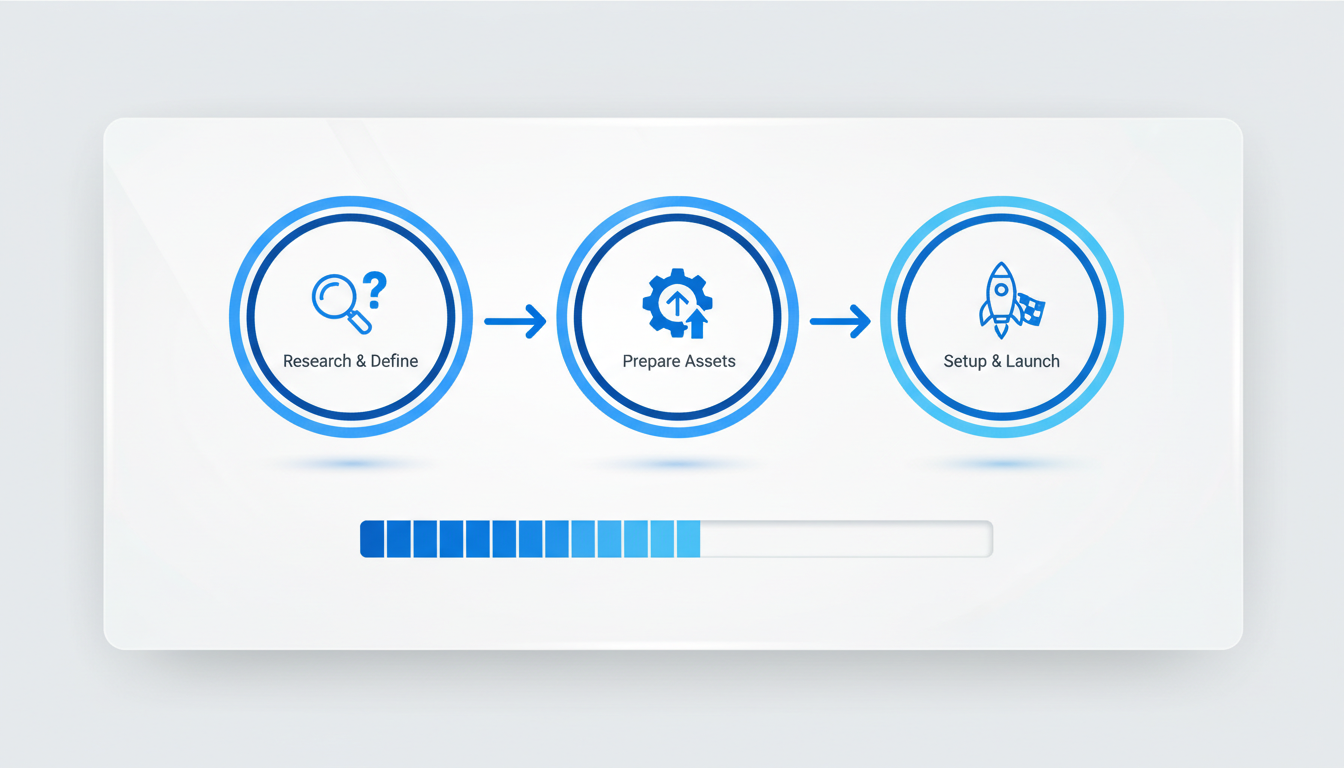
Launching a logo with an AI logo generator like Quicklogo can be a breeze if you spend a few minutes on preparation. Here’s how to set up for success:
Clarify Your Brand Messaging
Start by defining your brand identity. Think about your brand's core values and how they translate into a visual language. What do you want your logo to convey? Words like “innovative,” “trustworthy,” or “playful” can guide your descriptors. The clearer your message, the more tailored your results will be with Quicklogo’s AI.
Expert Insight: “Growth stems from expanding e-commerce, cost-effective alternatives, and visual branding needs.” - The Business Research Company
Select Brand Colors and Typography
Next, identify your brand colors and typography preferences. Colors play a crucial role in how your brand is perceived. For instance, blue often conveys trust and reliability, while red can evoke excitement and passion. With Quicklogo, you can input these preferences into your logo prompt to guide the initial design direction.
- Color Psychology: Consider what emotions or actions you want your brand to inspire.
- Typography Pairing: Decide if you want a modern sans-serif for a clean look, or a serif font for a more traditional feel.
Key Tip: If you’re unsure, start with broad themes and refine your choices as you iterate through your logo samples.
Determine Initial Logo Use
Understanding where your logo will primarily be used ensures the design fits its context. Are you launching a Shopify store, a website, or a social media campaign? This can dictate whether you need a more scalable logo design or one that’s rich in detail.
- Web and Social: Often require adaptable logos that look good at various scales.
- Basic Print: May need a version that maintains clarity and legibility in print materials.
Pro Tip: Quicklogo provides logos in multiple formats to accommodate different needs—make sure to plan ahead on where the logo will first appear.
Spending just 10 minutes on this pre-generation checklist can significantly enhance the quality of your outputs. With your brand identity elements defined, you’re all set to dive into Quicklogo’s intuitive design platform, where you can quickly iterate visual options. Remember, the key to a successful logo launch is not just generating options, but refining and selecting the best fit for your brand’s unique story.
Step-by-Step Quicklogo Walkthrough
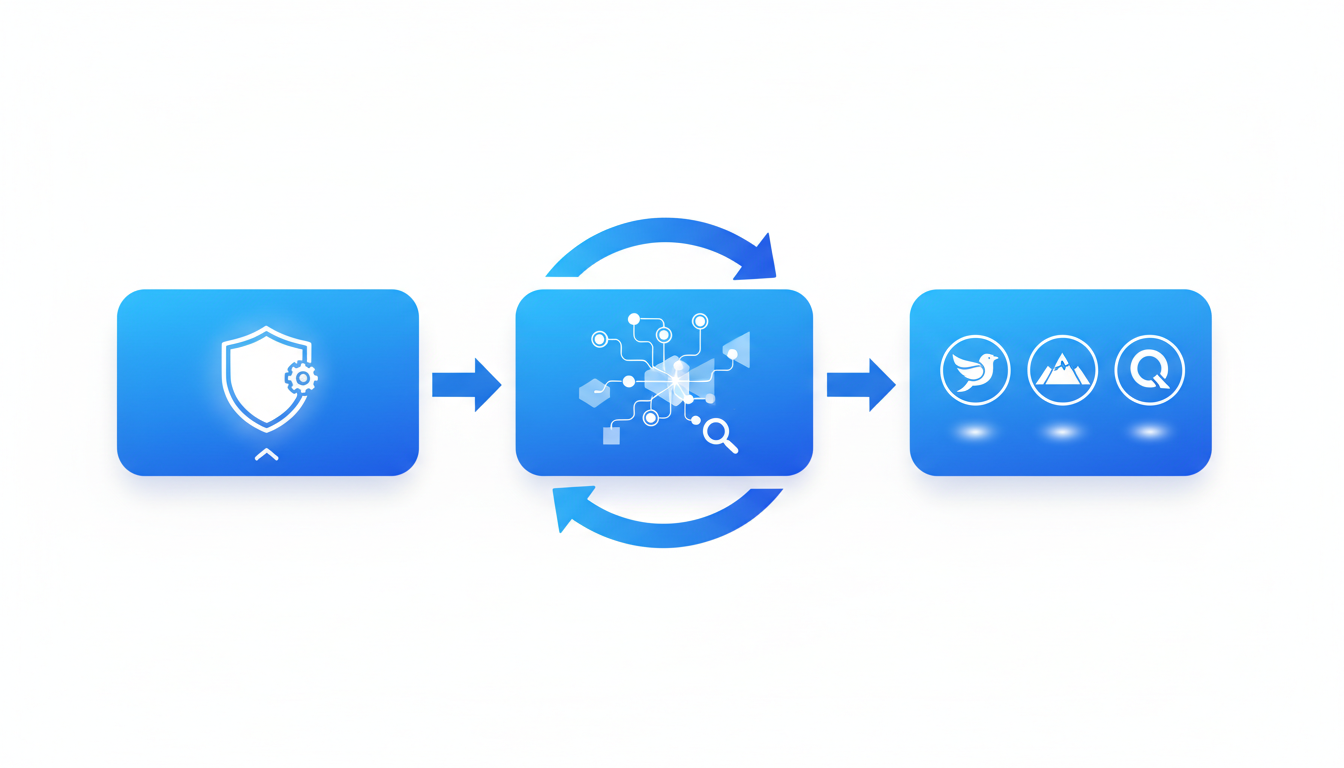
Welcome to the heart of your branding journey—getting that perfect logo out there today. Quicklogo’s intuitive platform makes it easy, so let’s dive into a practical, guided stroll through the process of going from concept to creation with its simple AI logo generation workflow.
Generating Initial Prompts
First things first—kickstart the AI logo generation by crafting your initial prompt. Think of this as a brief that tells Quicklogo what you're envisioning. Are you launching a tech startup with a futuristic edge? Or a cozy café that needs to feel warm and inviting? Your keywords matter. Consider details such as:
- Industry: Specify your business sector.
- Brand vibe: Are you aiming for minimalism, boldness, or playfulness?
- Elements: Think about things like icons or initials that resonate with your brand identity.
This stage is crucial because the prompts determine the design direction, setting the foundation for visual variations that the system will generate. Quicklogo’s AI leverages advanced models trained on thousands of real logos to get these specifics right.
Reviewing Multiple Options
Once your prompts are set, Quicklogo does its magic. You'll be presented with a range of multiple logo options. This is where the system’s speed is a game-changer—generating professional designs in seconds. It’s like having multiple designers at your fingertips, each offering a unique take on your vision.
Your task here is to assess the initial designs. Take note of:
- Alignment with your prompt: Does it reflect your brand's essence?
- Variety: Are different styles explored—such as typefaces, color schemes, and layouts?
- Visual appeal: Trust your instincts. Which designs grab your attention?
Refining Prompts for Accuracy
Not all outputs will hit the mark, and that's perfectly okay. Quicklogo encourages an iteration loop to refine and enhance design accuracy. Adjust your prompts if you need more focus or a different angle. Perhaps the colors need to be warmer or the typography sleek. Here’s how you can refine your prompts:
- Narrow down specifics: Add details about color preferences or adjust your brand vibe.
- Include or exclude elements: Reiterate which symbols or icons are essential or unnecessary.
- Reassess wording: Sometimes subtle changes in language can steer design direction significantly.
This phase underscores the power of prompt-driven logo design—iterating without waiting for a designer saves time and empowers you with immediate control over the creative process.
Select and Customize the Best Option
Once you've honed the options to those that best fit your vision, it’s time to pick a winner. Use Quicklogo's built-in tools to customize and perfect your selection. This might include:
- Color adjustments: Align with your brand’s palette; color psychology is powerful and influential.
- Typography tweaks: Ensure that your font choice complements your overall design theme.
- Icon and layout fine-tuning: Make sure that the logo's components feel balanced and memorable.
Customization is where your logo transforms from a generic design into something truly representative of your business's spirit and values. Keep in mind legibility, memorability, and scalability—your logo should be versatile enough for any format or platform.
Remember: The customization tools in Quicklogo are easy-to-use, making this part of the process swift and stress-free.
In Quicklogo, once your logo is perfected, you can proceed with downloading in multiple formats. The fluidity of accessing these options ensures you're ready for web, social, and print right from the get-go—solving a common pain point quickly and efficiently.
So there you have it: a comprehensive walkthrough of taking a nebulous idea and turning it into a polished logo that stands ready to represent your brand. Now, it’s time to test this out with your own business aspirations—head over to Quicklogo and start generating your vision today!
Prompt Library: Crafting Effective Requests
When it comes to generating a logo quickly, the magic lies in crafting well-thought-out prompts. Whether you’re crafting a wordmark, lettermark, or icon mark, a clear and specific prompt can guide Quicklogo to produce relevant and distinct options tailored to your needs.
Why Prompts Matter
Key Insight: Clarity in your prompts ensures that the AI understands your vision, leading to more precise outcomes. It’s all about describing your brand’s essence while being specific about style and industry.
Think of the prompt as the blueprint for your AI logo generator. It's not just about stating your business name; it’s about conveying the vibe you want—modern, retro, playful, or elegant. For example, instead of saying, “I need a logo for my tech startup,” try specifying, “Create a sleek, modern wordmark for a cybersecurity startup using navy and teal.” This level of detail guides Quicklogo to generate more targeted results.
Examples by Industry and Style
Key Insight: Tailored prompts can produce industry-specific and stylistically accurate logos, increasing the chances of a quick hit.
Here’s how you can structure prompts based on industry and style:
- Tech Startup: “Design a minimalist lettermark for a cloud computing company with a futuristic feel and blue tones.”
- Cafe: “Generate a vintage-inspired icon mark for a cozy coffee shop featuring warm hues like browns and greens.”
- Fitness Brand: “Create a bold and energetic wordmark for a personal training service, incorporating red and black.”
Each example highlights Quicklogo’s ability to adapt to diverse industry needs and stylistic preferences. By offering these details, you position Quicklogo to generate logos that resonate well with specific audiences.
Adjusting Based on Initial Output
Key Insight: Iteration refines results. Your first batch offers insights into what aspects need tweaking—be it color, typeface, or iconography.
Once you receive your initial batch of logos, review them critically. Are they capturing the brand essence? If not, consider changing parts of your prompt:
Color Adjustment: If the colors are off, update your prompt to emphasize a new palette. For example, “Use a brighter shade of orange to evoke energy.”
Style Tweak: Didn’t hit the right vibe? Modify the style descriptor. Change “modern” to “contemporary” if the initial results seemed too cold.
Feature Emphasis: If the iconography lacks relevance, specify elements to highlight (like “include a leaf motif for an eco-friendly brand”).
This iteration process is core to maximizing the AI logo maker's potential.
Takeaway: Effective prompts drive successful AI logo generation. By iterating and refining, you utilize Quicklogo not just for fast results, but for better, more aligned branding outcomes.
Quality Control: Ensuring a Professional Finish
Getting your logo right is crucial—it's often the first impression customers have of your brand. Here's a solid framework to ensure your logo stands out and serves its purpose effectively.
Evaluation Checklist
Start with the key attributes: legibility and distinctiveness. A logo must be easily readable across different sizes and contexts. Think of your audience viewing it on a business card versus a billboard. If you can’t distinguish the elements at both ends of this spectrum, consider adjustments.
Distinctiveness is equally critical. A unique design prevents confusion with competitors and makes your brand memorable. Use Quicklogo’s multiple option generation feature to explore a variety of designs quickly. A well-designed logo is more than just aesthetic—it's an identity marker for your brand.
Importance of Scalability and Single-Color Viability
A logo must be scalable—appealing and clear at any size. Quicklogo helps achieve this by offering scalable design options, ensuring your logo remains sharp. Whether you’re creating a tiny social media icon or a large printed banner, your logo should retain its impact and clarity.
Single-color viability is another non-negotiable. A versatile logo can be printed efficiently without losing its essence. By testing your logo in one color, you ensure its elements are strong and clean. This alludes to both practical printing needs and digital scalability, where a logo must sometimes fit monochrome settings.
Avoid Generic Designs
Finally, dodge the trap of generic designs. Many logos look similar due to overused templates. Using Quicklogo’s extensive iteration capabilities, experiment with different aesthetics and iconography. The tool's AI, trained on thousands of logos, helps generate distinctive variations tailored to your brand’s vision.
"AI logo generators have transformed from novelty to essential, driven by personalization and emotional resonance." - SuperAGI analysis
Quick Evaluation Table
| Aspect | Checklist | Importance |
|---|---|---|
| Legibility | Readable at 48px | Ensures clarity in small formats |
| Distinctiveness | Unique visual elements | Engages audience, avoids confusion |
| Scalability | Clear in all sizes | Necessary for multi-platform use |
| Single-Color | Viable in one color | Cost-effective, ensures versatility |
| Avoid Generic | Use unique templates | Reflects brand identity |
By applying this checklist, you can confidently use Quicklogo to craft a logo that not only looks great but functions perfectly across various platforms and situations. Remember, your logo is more than an image—it's the flagship of your brand's identity.
Deploying Your Logo Across Platforms
You've just crafted your perfect logo using Quicklogo's AI logo generator, and now it's time to introduce it to the world. But where to start? Let's dive into the best practices for deploying your logo across platforms to ensure maximum impact and brand consistency.
Where to Use Your Logo First
Start with the Essentials: Your website and social media profiles are your digital storefronts. Here’s where your logo first makes its mark:
Website: Position your logo prominently on the homepage. It’s often the first visual cue visitors will associate with your brand. A strong logo placement reinforces identity and credibility.
Social Media: Update profile pictures, headers, and any relevant posts with your new logo. Consistency across these platforms helps foster recognition. Facebook, Instagram, and Twitter are often top priorities.
Brand Consistency Tips
Keep it Cohesive: Consistency is key to building a strong brand identity. Here’s how you can achieve it:
Color Schemes: Use the same brand colors (e.g., Quicklogo's primary blue #2383E2) across all platforms. This visual consistency helps in creating a memorable brand image.
Typography: Match the fonts used in your logo with those on your website and marketing materials to maintain a harmonious look.
Visual Elements: Stick to a unified visual style. If your logo is minimalist, make sure other design elements align with that ethos.
Ensuring Proper Formatting for Each Platform
Multi-Format Excellence: Different platforms require different logo formats to ensure quality and consistency. Quicklogo makes this process seamless with its flexible download options:
Website and Blogs: Opt for vector formats like SVG for scalability without losing quality—ideal for website headers.
Social Media: High-resolution PNGs are perfect for profile pictures as they support transparency and maintain quality across devices.
Print: For print materials such as business cards or flyers, use vector files to maintain clarity regardless of size changes.
Key Takeaways
Expert Insight: Deploying your logo effectively involves more than just uploading an image. It's about creating a unified visual presence that resonates across all touchpoints.
Following these steps ensures your brand makes a strong, lasting impression. And remember, with Quicklogo’s multi-format downloads, keeping your branding consistent is just a few clicks away.
AI Logo Generator FAQs
Navigating the landscape of AI logo generation can leave founders with questions about key concerns like ownership rights, file formats, and customization options. Here's a deep dive into these elements to guide your Quicklogo journey.
Ownership Rights: Who Owns Your Logo?
The primary challenge for many founders is understanding the ownership of their generated logos. With Quicklogo, users retain ownership of the logos they create. This clarity on intellectual property is crucial, ensuring that businesses can confidently use their logos across all branding materials without concerns about legal entanglements. As articulated in Quicklogo’s Terms, users are granted all rights necessary to use the creations commercially—addressing a major pain point in AI logo generation.
File Formats: What Formats Are Available?
When it comes to deploying your logo, having access to the right file formats is key. Quicklogo provides multiple formats suitable for various applications, whether it's digital or print. Here’s a brief overview of common formats that businesses typically use:
- Vector Files (e.g., SVG, EPS): Ideal for scaling your logo across different sizes, maintaining quality for both tiny icons and large banners.
- Raster Files (e.g., PNG, JPG): Useful for online use, such as social media profiles and websites, where quick loading times are critical.
This diverse format offering ensures that your logo can adapt to different channels effortlessly.
Customization Options: How Can You Tailor Your Logo?
A standout feature of Quicklogo's platform is its robust customization capabilities. After generating a logo, you can easily tweak elements to better fit your brand identity. This might involve adjusting colors to match your brand palette, refining typography for clarity, or playing with layout to ensure visual appeal. Quicklogo’s streamlined UI makes this process intuitive, transforming your initial ideas into a refined and distinctive logo.
Timing and Speed: How Quickly Can You Have a Logo?
Quicklogo emphasizes speed and efficiency. In moments when you need to meet fast-approaching deadlines, Quicklogo's AI technology shines as a time-saver, allowing multiple iterations within minutes—a feature that’s invaluable for startups and SMBs.
Final Tips: Get the Most Out of Quicklogo
- Experiment with Prompts: Tailor the AI-generated results by refining your input prompts for more precise outputs.
- Batch and Review: Generate multiple options in batches, which allows for comparison and selection of the best fit for your brand.
- Seek Clarity: Ensure legibility of your logo at various sizes, especially for digital platforms.
With these insights into Quicklogo’s offerings, you’re equipped to make informed decisions swiftly, leveraging the power of AI to produce logos that are not only effective but also rights-secured and format-ready. Remember, further information on file formats and ownership specifics can always be verified directly on Quicklogo’s website.
Frequently Asked Questions
Can I customize my Quicklogo creations?
Yes, Quicklogo allows for customization of colors, fonts, and styles.
Do I own the logos I generate?
Yes, users retain ownership of any logos they generate on Quicklogo.
What file formats does Quicklogo provide?
Quicklogo delivers logos in multiple formats suitable for digital and print use.
How quickly can I generate a logo using Quicklogo?
You can generate multiple logo options in just seconds with Quicklogo.
Is Quicklogo suitable for non-designers?
Absolutely, Quicklogo is designed to be user-friendly for those without design skills.
Final Thoughts
Launching a logo with Quicklogo is as straightforward as it is fast. Here’s a quick recap to get you started:
- Brief: Define your business needs clearly to guide the AI.
- Generate/Iterate: Use Quicklogo to produce multiple logo options, refining as needed.
- Select/Customize/Download: Choose the best fit, customize if necessary, and download your logo.
By following these steps, you can embrace the efficiency of AI-driven design and ensure a professional look for your brand. Your next move? Try the prompt templates in Quicklogo to generate your first batch of logos. Dive into the world of streamlined branding solutions today!
Back to all posts