

11 Things to Check Before Using an AI Logo Commercially
Explore 11 essential verifications for using AI logos commercially. Learn what to check in terms, IP rights, originality, and more to protect your brand.
Quicklogo Team
11 Things to Check Before Using an AI Logo Commercially
Imagine you're just about to launch your brand's first ad campaign. You've found a logo you love, generated it with the latest AI tool, and are ready to splatter it across your storefront, packaging, and more. But suddenly, a nagging question pops up: "Do I actually own this?" The rights and risks around commercial use of AI-generated logos often hide in the fine print, leaving founders unsure and anxious. That's why this checklist is here—to transform that ambiguity into a clear action plan.
This post will guide you through 11 essential verifications, helping you confidently answer the pressing question: "Can I safely use this logo in my business?" From understanding ownership rights to navigating trademark risks, you'll learn exactly what you need to check, including insights from tools like Quicklogo. By the end, you'll have a founder-friendly, lawyer-aware audit you can complete in under an hour, ensuring your logo is ready to hit the market without worry.
Introduction: The Ambiguity of "Commercial Use"
Picture this: You're moments away from launching your brand's shiny new logo on your website, merchandise, or social media ads. As you hover over the 'Upload' button, a question looms large: "Do I really own this logo?" This uncertainty around the commercial use of AI-generated logos is a common stumbling block for many founders. While it might seem like a simple checkbox, commercial use involves a complex mix of ownership rights, intellectual property (IP), and potential risks.
Misconceptions abound when it comes to AI-generated logos. Many assume that once a logo is generated, it's automatically free to use commercially. However, this isn't always the case. The terms and conditions of the AI tool you use, such as Quicklogo, play a crucial role. Quicklogo states users retain ownership of their logos, but this doesn't eliminate every risk; understanding the fine print is essential.
Founders often fear receiving a takedown notice from platforms like Etsy or Amazon or facing copyright or trademark disputes. Concerns over whether an AI logo is truly "not copyrightable" or if a tool holds some ownership over it are common. These fears are rooted in the complex language often found in service agreements, featuring terms like "license," "derivative works," and "public display."
For those who have generated logos and are ready to deploy them, a detailed, yet straightforward checklist can transform vague anxiety into actionable steps. This helps ensure you can safely and confidently display your logo across platforms without legal worries. Our guide, which uses Quicklogo as a practical example, provides clarity, showing exactly where and what to look for to validate your AI logo’s commercial use rights.
1. Confirm Commercial Use AI Logo Rights in the Terms
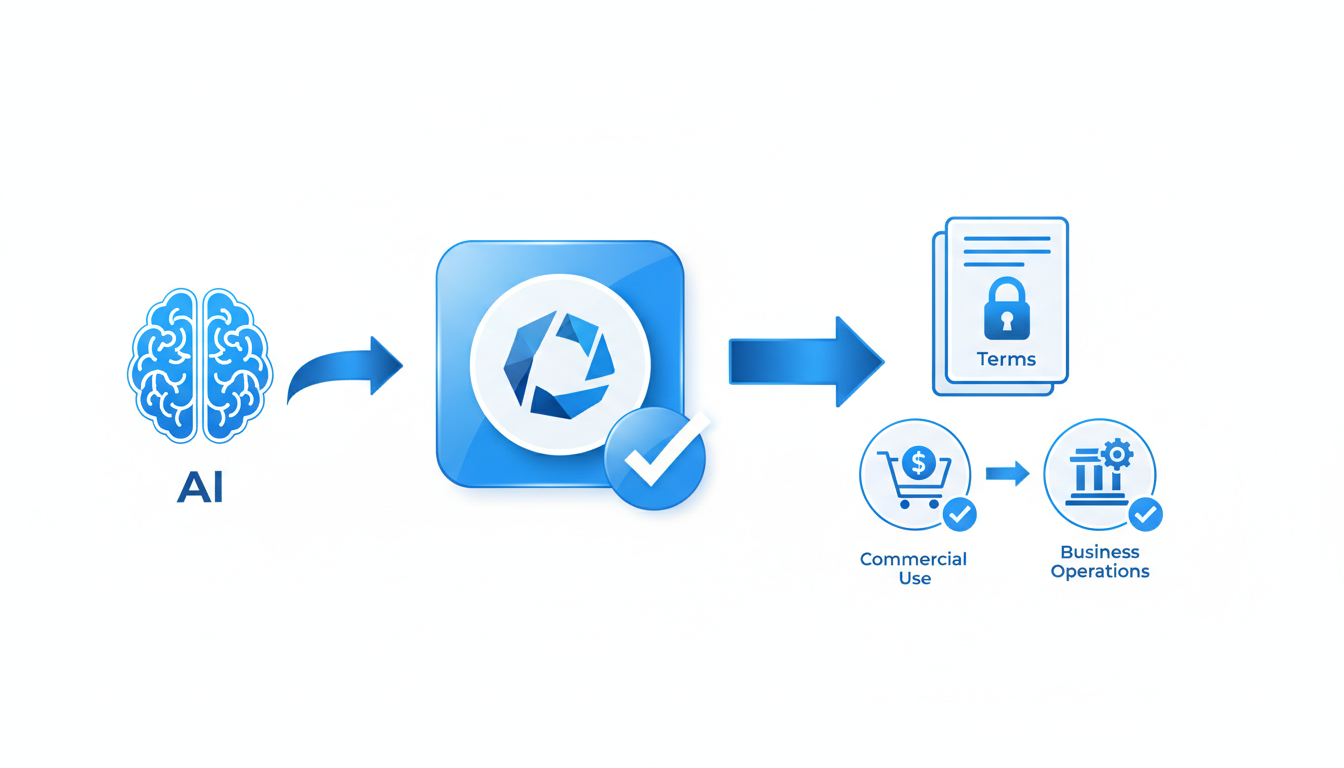
Before you press launch on your new logo, it’s crucial to ensure you have the right to use it commercially. This involves more than a quick skim of the Terms of Service; it's about understanding ownership and potential risks.
Ownership and Licensing Basics
When you use services like Quicklogo to generate your logo, it's important to verify that the tool explicitly states users retain ownership of their creations. Quicklogo, for instance, ensures users hold ownership rights, meaning you—not the tool—have control over the logo. This distinction is key, especially when moving forward with marketing materials and branding efforts.
Look within the Terms for any clauses describing a license back agreement. This generally involves you giving the tool permission to store, process, and display the logo as necessary for their services. Quicklogo describes this as a limited license, kept solely for service purposes, which is standard practice.
Key Insight: Always understand what “ownership” really means for your generated content. If the tool claims any rights beyond necessary service functions, you might reconsider its use for commercial purposes.
Explicit Commercial Use Rights
Ensure there’s a clear statement granting commercial use rights. Some AI generators might only provide a personal use license, which wouldn’t cover your needs if you’re deploying the logo across commercial channels like packaging or advertisements. Quicklogo clearly positions itself for commercial use by allowing such applications, giving you peace of mind when using your logo for business.
Red Flags to Watch For
- Vague terms like “non-exclusive use” without clarification.
- No mention of commercial rights or unclear ownership descriptions.
- Rights that revert back to the service provider.
Remember, a thorough read can save future headaches. Need more guidance? Check out Quicklogo’s guide to make sure your AI-generated logo is ready to hit the market with all rights intact.
2. Verify Ownership and Licensing Details
When it comes to using an AI-generated logo, understanding the difference between ownership and licensing is crucial. This is especially true if you plan to use the logo commercially on storefronts, ads, or packaging.
Ownership refers to the rights you have over the logo. Ideally, you'll want a tool that states you retain full ownership of the logos you generate. For instance, Quicklogo explicitly mentions that users retain ownership of their generated logos. This means you have exclusive rights to use, modify, and distribute the logo as you see fit, crucial for maintaining control over your brand identity.
Licensing involves permissions that a user grants to the service provider. Often, tools like Quicklogo require a license to store, process, and display the logos only as necessary to provide the service. This is a limited license and should not impede your commercial use.
When vetting any AI logo generator, look for specific language in the terms and conditions. You want phrases that explicitly state you hold ownership—for example, "Users retain all ownership rights of generated assets." Be wary of terms that give the service provider extensive rights beyond operational necessities, as this may complicate your commercial plans.
The operational implications of licensing clauses depend on their scope. If a tool demands a broad license for public display beyond service provision, it could risk your brand exclusivity. Always scrutinize these clauses and, if necessary, consult a legal expert to ensure your logo is free from liabilities that could hinder its commercial deployment.
In practice, using Quicklogo can streamline this process. Their approach is designed with user ownership in mind, allowing you to generate and customize logos with the assurance of exclusive rights. Use this understanding to empower your business, securing not just a logo, but a legally sound brand asset.
3. Assess Commercial Scope and Limitations
Before you run with that shiny new logo across your storefront, ads, and packaging, it’s essential to dive into the commercial use terms associated with your AI-generated logo. Here’s how to navigate this tricky territory.
Identify Restrictions
First off, determine if there are any restrictions on how you can use your logo commercially. Many AI logo generators, like Quicklogo, allow users to retain ownership of their creations, but it's vital to verify this in the Terms of Service. Look for specific phrases such as “commercial use permitted” or “full transfer of rights.” Remember, not all services are equal; some might limit use to non-commercial contexts or require attribution. Quicklogo, for instance, states that users have ownership, but always check the latest terms to confirm.
Understand Derivative Works and Public Display
Another crucial aspect is understanding how the service treats derivative works and public display. Derivative works refer to modifications or adaptations of your original logo. Ensure the terms allow customization or adaptation to fit various platforms like ads or merchandise. Some services might have restrictions on altering the design, impacting your ability to tweak logos for different uses.
For example, if Quicklogo provides a license for public display, it’s essential to note whether this extends to all promotional channels or just specific ones. This clarification helps avoid legal hiccups when your logo goes live on prominent platforms.
Practical Examples of Scope Limitations
Imagine you’ve developed a logo using Quicklogo for your eco-friendly startup. You’re excited to emboss it on reusable water bottles as part of a promotional campaign. Before proceeding, check if there’s a clause about physical merchandise applications. While Quicklogo generally supports multi-format usage, confirming that these rights cover physical products is crucial.
Similarly, if you plan to adapt the logo’s color scheme for different marketing materials, ensure those derivative rights are explicitly granted. Quicklogo’s customization options are a boon here, allowing edits, but always have these rights documented for your peace of mind.
Ensure you verify commercial rights explicitly in the terms, avoiding potential pitfalls associated with logo restrictions.
By carefully auditing these elements, you can confidently move forward with using your AI-generated logo, minimizing the risk of unexpected challenges.
4. Check for Trademark Risk and Similarity Issues
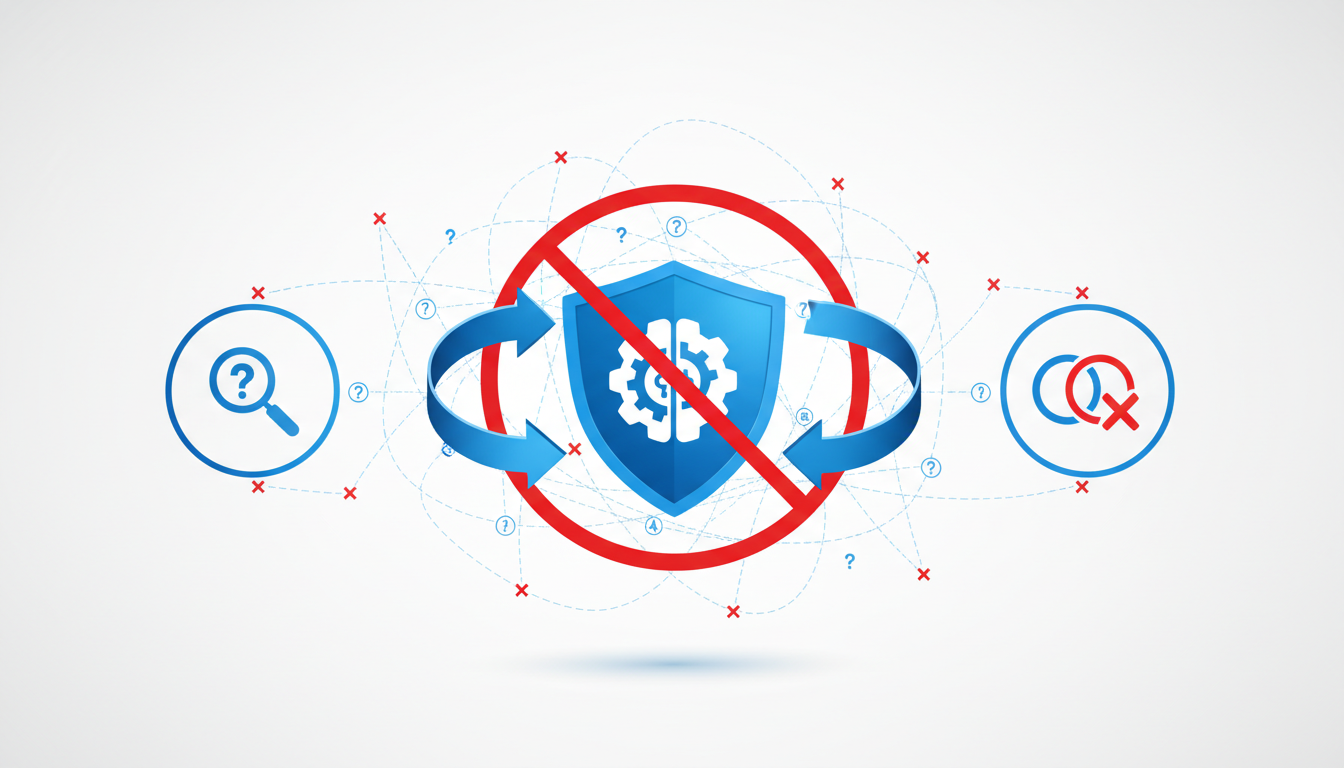
When it comes to using an AI-generated logo commercially, trademark risks and similarity issues are crucial to address. Imagine launching your brand only to find out you're infringing on someone else's trademark. Let's break down how to prevent this nightmare.
Firstly, perform a basic trademark search to spot potential conflicts. This step isn't as daunting as it sounds. Start with online databases like the United States Patent and Trademark Office (USPTO) or WIPO's Global Brand Database. These platforms let you search for registered trademarks that might clash with your new logo. It's essential to confirm your design doesn't closely resemble an existing mark, which could lead to costly disputes.
Next, utilize tools to check for logo similarity. There are digital platforms that can scan and compare your logo against existing ones to gauge similarity. This isn’t about identical matches only; sometimes, even logos that appear somewhat similar can pose a risk. The goal is to ensure your logo is distinct and unmistakably yours.
Consider this scenario: You’ve generated a sleek logo with Quicklogo. However, it slightly resembles a well-known tech company's emblem. Even if it’s accidental, the likeness could trigger a trademark challenge. To avoid this, use Quicklogo’s customization features to tweak your design subtly, ensuring uniqueness.
Key Takeaway: Protecting your brand means more than owning your logo—it’s also about ensuring it doesn’t infringe on others.
Finally, documenting your checks can be a lifesaver. Keep records of your trademark searches and similarity checks. If any issue arises, you’ll have evidence demonstrating due diligence in your logo’s development process.
Remember, these steps aren't just for legal peace of mind; they play a vital role in building a robust brand identity that stands confidently in your marketplace.
5. Evaluate Originality and Lookalikes
When using AI-generated logos, it’s crucial to ensure originality to avoid potential conflicts with existing trademarks and brands. AI tools like Quicklogo generate logos by leveraging vast amounts of training data, which can result in outputs that resemble pre-existing designs. Here’s how to navigate this challenge effectively.
Understand the Impact of AI Training Data
AI models are trained on broad datasets, including various design elements from numerous sources. This training enables them to generate creative outputs efficiently but also increases the risk of creating designs similar to existing logos. It’s important to recognize that while AI tools aim for creativity, their reliance on large data sets can sometimes produce results that echo other designs in the market.
Strategies to Ensure Your Logo Is Unique
Leverage Customization Options: Utilize Quicklogo’s customization features to adjust aspects of the design such as color, font, and layout. Personalizing these elements can significantly reduce the likelihood of your logo resembling an existing one. Customization is an excellent way to tailor the design to better fit your brand identity.
Conduct a Trademark Search: Before finalizing a logo, perform a trademark search to ensure your design doesn’t infringe on existing logos. This step involves checking databases like the USPTO for similar marks in your industry. Tools such as Quicklogo provide multiple options, so use these possibilities to steer clear of potential overlaps.
Iterate and Refine: Quicklogo allows you to generate multiple versions of your logo quickly. Take advantage of the platform’s speed to create and iterate on different designs, ensuring that you can explore a wide range of unique logo concepts without the risk of duplication.
Documenting Originality for Added Protection
Document every iteration and customization you make. This record-keeping is essential if your originality is ever questioned. Save different versions of your logo and keep screenshots or notes of your decision-making process. By maintaining thorough documentation, you not only safeguard your brand but also provide evidence of due diligence should the need arise.
Key Takeaway: By combining customization, thorough research, and proper documentation, you can confidently navigate the complexities of originality with AI-generated logos, reducing the risk of potential lookalikes.
For a detailed approach, check out How to Create a Logo in Minutes for a Last-Minute Launch to enhance your strategy.
6. Identify Prohibited Uses Within Terms
When it comes to using an AI-generated logo commercially, identifying prohibited uses within the terms and conditions is crucial. Commercial use AI logos often come with specific restrictions to prevent misuse. Founders need to ensure that these do not conflict with their branding plans. Here's what you need to consider:
Scan for Banned Uses: Start by reviewing the terms from your AI logo generator to spot any prohibited actions. Common restrictions include using the logo in derogatory, illegal, or adult content. Such limitations aim to protect the tool's reputation and meet legal standards.
Look Out for Licensing Clauses: Often, terms include sections on licensing that define where and how you can use the logo. For instance, certain generators might limit use in conjunction with rival brands or in specific industries.
Study Examples: To get a better understanding, consider examples of typical prohibitions:
- Cannot use logos for competing AI logo platforms
- Restrictions on modifying logos to resemble existing trademarks
- Limits on selling logos as standalone products without additional branding
Impact on Plans: If any prohibitions affect your plans, it's essential to take proactive steps:
- Adjust your use case to comply, such as altering the logo’s context or medium.
- Seek modification permissions if the logo needs alterations falling outside the allowable scope.
- Consult legal advice if uncertainties remain, especially for large-scale commercial endeavors.
Expert Insight: Always maintain a list of permissible uses and share it with your team. Transparency ensures everyone aligns with the brand's legal framework, avoiding unintentional breaches.
By understanding these prohibited uses, you protect your brand from potential AI logo infringement risks. Keep this aligned with your broader strategy and ensure compliance across platforms. For further insights on how to generate a logo online and work efficiently, explore our step-by-step guide using Quicklogo.
Midpoint Checkpoint: Assess Your Progress
Reaching the midpoint of your logo verification journey is the perfect moment to pause and evaluate your findings. Here's how you can ensure you're on the right track:
Review Checks 1-6 for Red Flags: By this point, you should have scrutinized the terms of service, confirmed ownership rights, and evaluated any licenses you might be granting back. Double-check these first six areas for any red flags—for example, clauses that don't explicitly grant you commercial use rights or terms that seem overly restrictive. Tools like Quicklogo, known for clear terms stating users retain ownership, set a great standard. If you notice anything ambiguous or concerning, mark it for further review.
Determine Your Next Steps: Based on your findings, decide whether you can confidently proceed with using your AI-generated logo, need to make adjustments, or require professional legal help. If you've encountered terms language that’s unclear or feel unsure about possible trademark risks, consulting with a legal expert might be necessary. Remember, it's better to adjust course now than face a dispute later.
Importance of Documenting Your Findings: Make sure to document every step, screenshot terms pages, and save records of any communications or permissions related to your logo. This documentation is crucial for future reference and can help assuage investor or marketplace concerns about your logo's legitimacy.
Takeaway: A thorough review at this midpoint ensures you're poised to move forward with confidence or take the necessary steps to address any issues. It's all about minimizing risk and maximizing your logo's potential commercial value.
Consider using Quicklogo's efficient generate → select → customize → download approach for a streamlined experience, ensuring you're equipped with the right files and terms clarity. Are you ready to proceed, or do you need to pause for adjustments or expert guidance?
7. Review Model and Training Clauses
When considering the commercial use of an AI-generated logo, understanding the AI training data clause and model training details is essential. These aspects can influence how you use the logo and what rights you possess.
AI Training Data Clause
Key insight: The training data used by an AI tool influences its output. Ask these questions:
- What data was used to train the AI? Understanding whether the AI was trained on publicly available images or proprietary artwork can affect potential legal implications.
- Has your generated logo contributed to further training? Some platforms use your output to refine their models, which might impact your exclusive rights.
Model Training with Generated Logos
Review contract clauses regarding whether your generated logos are used for further AI training:
- Implications: If a clause states that generated logos contribute to model improvements, it might suggest that similar designs could appear elsewhere.
- Privacy and Control: Ensure you maintain privacy over your designs and understand how and where your logos might be reused by the platform.
Implications for Business Needs
- Confidentiality and Exclusivity: Verify if the Terms protect against your logo being used to train better, competitive models. Finding such clauses can indicate your design won't be replicated or inadequately protected.
For example, in Quicklogo’s setup, users retain ownership over generated logos, with Quicklogo clearly stating that logos are stored and used to provide services but not for model training improvements. This transparency helps mitigate potential risks of exclusivity loss.
Understanding these clauses and their implications can be crucial in assuring your AI-generated logo is suitable for long-term commercial use, maintaining your brand’s uniqueness and security. It's a reminder always to read the fine print and secure the rights that align with your business objectives.
8. Ensure Proper Deliverables and File Formats
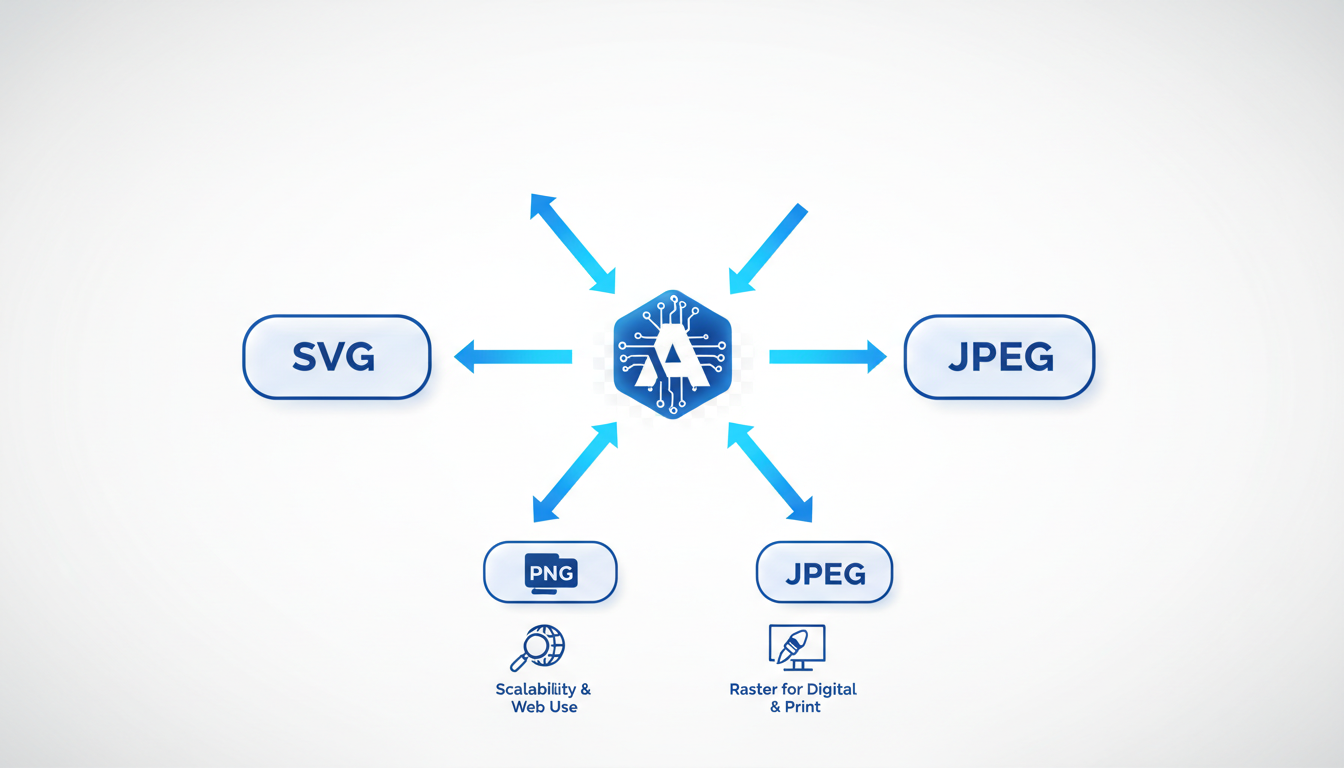
When embarking on the journey to use an AI-generated logo commercially, receiving the right file formats is crucial. It goes beyond simply having a file to use—it's about ensuring your logo's quality and versatility across different applications.
First up, let's talk about vector files. Unlike raster images, which can lose quality when scaled, vector files are resolution-independent. This means they can be blown up to billboard size or shrunk down to fit a business card without losing clarity. Formats like SVG, EPS, or AI are your best bet. If your AI logo generator, like Quicklogo, provides these, you're on solid ground.
Key Insight: Always opt for vector files to maintain scalability and ensure your logo looks pristine in any size.
Quicklogo sets a benchmark with its multi-format file delivery. Once you generate and select a logo, Quicklogo provides it in multiple formats suitable for both digital and print use, giving you the flexibility to deploy your logo seamlessly across various platforms and media. This feature is central to making the output practical and ready-to-use—aspects crucial for urgent launches or rebranding efforts.
- Digital Use: Secure formats like PNG or JPEG for your website, social media, and online ads.
- Print Use: Utilize PDF or TIFF files for high-quality prints on business cards, flyers, or merchandise.
What’s more, if you're navigating product packaging or large print projects, file formats can determine print quality and color accuracy. Printers and vendors often require specific formats to ensure that your branding remains consistent and vibrant in physical form. Verify with them early on to prevent any last-minute hurdles.
Finally, establishing a straightforward folder structure for these files can streamline future projects. Create dedicated folders labeled by format, usage (print or digital), and project type to keep everything neatly organized and easily accessible. This ensures you’re always ready and reduces the chance of misplacing important assets.
Embedding Quicklogo’s approach into your process doesn’t just prepare you for immediate needs—it sets the foundation for smooth scalability and brand consistency down the line.
9. Address Vendor and Printer Requirements
When it comes to commercializing your AI-generated logo, ensuring the logo files meet vendor or printer specifications is crucial. A mismatch in file formats or sizes can turn a seamless branding opportunity into a logistical headache.
Understand File Requirements: Most vendors and printers require logos in specific formats to ensure clarity and quality. The standard formats often include vector files like .EPS or .SVG, which maintain resolution regardless of size. These are essential for high-quality printing and scalability. Quicklogo’s multi-format delivery ensures you get these critical formats, suitable for printing on merchandise, signage, or packaging.
Communication Checklist with Vendors: Proper communication with your vendor or printer can save time and resources:
- Confirm File Formats: Double-check if your vendor needs specific file types. While Quicklogo provides a range of formats, confirming ensures compatibility.
- Resolution Requirements: High DPI (dots per inch) is a must for print materials. Confirm if your logo meets these specifications.
- Color Profiles: Printers might require CMYK for accurate color printing, so ensure your files include color profiling information.
Preparation Tips:
- Always include brand guidelines when sending logos to vendors. Guidelines help maintain consistency across different uses, especially if you're working with multiple vendors.
- Keep a checklist for each vendor's requirements. Use Quicklogo's account system to store and manage these files efficiently.
Takeaway: Ensuring your logo meets vendor and printer specifications safeguards against last-minute issues and ensures your brand is represented professionally across all mediums.
For more insights into logo customization and usage, you might explore how to customize your logo using Quicklogo.
10. Develop a Clear Documentation Strategy
When you're ready to use an AI-generated logo commercially, documentation is key to safeguarding your intellectual property and ensuring you can confidently present your brand to investors and partners. Here's how you can establish an effective logo documentation strategy.
1. Organize a Folder and File Structure
Start by creating a dedicated folder—perhaps named "Logo Documentation"—to house all relevant files and records. Within this folder:
- Subdivide sections for Terms of Service, License Agreements, Ownership Confirmations, and Proof of Originality.
- Use clear, consistent naming for files to make retrieval easy, like “Quicklogo_Terms_2023” or “Trademark_Search_Confirmation”.
2. Checklist of Documents to Save
Having a comprehensive checklist ensures nothing slips through the cracks:
- Terms of Service and Licensing Documents: Grab screenshots of key passages granting commercial rights or detailing ownership.
- Ownership Declarations: Record emails or confirmations stating that you retain logo ownership. Quicklogo explicitly confirms users retain ownership.
- Confirmation of Rights: Save copies of any text in the software that outlines usage rights.
- Trademark Search Results: Capture documentation proving your due diligence in checking for any similar existing logos.
- Final Logo Versions: Store high-resolution files in all formats provided—AI, SVG, PNG—to ensure you’re ready for any use case.
3. Importance for Investors and Partners
Clear documentation showcases your professionalism and readiness to stakeholders. By maintaining organized records, you can confidently prove logo ownership and the right to use it commercially, which is crucial for investor relations and when pitching to marketplace partners.
Key takeaway: “Document today, avoid liability tomorrow.” By storing proof of all relevant rights and terms, you create an asset that supports both daily operations and strategic growth.
For more about simplifying your logo creation, check out our How to Generate a Logo Online with Quicklogo guide. Document properly, and you’ll be armed with the information you need to protect and promote your brand effectively.
11. Finalize Your Commercial-Use Readiness Workflow
Now that you’ve navigated through the essential checks, it’s time to consolidate your findings into a smooth commercial-use readiness workflow. Think of this as your ultimate checklist, ensuring every logo generated is ready for the big stage — your storefront, ads, and packaging.
Recap and Simplify: Let’s distill the process:
Verify Terms: Ensure the AI tool’s terms of service explicitly grant you commercial rights. Look for clear language on ownership and usage rights, just as Quicklogo states users retain ownership and only grants a limited license necessary to provide the service.
Check for Trademark Risks: Perform a trademark search to avoid future disputes. If a logo closely resembles another, consider tweaking or opting for an alternative design.
Evaluate Originality: Use a logo similarity tool to ensure your creation doesn't inadvertently mimic existing designs.
Ensure Prohibited Uses Are Clear: Understand any restrictions or prohibited uses specified by the service to prevent accidental non-compliance.
Document Everything: Keep records — Terms screenshots, similarity checks, and any legal advice received. This documentation will be invaluable should any disputes arise.
Implementing Quicklogo: Using Quicklogo as a model, here’s a practical workflow:
- Generate multiple logo options.
- Select the most fitting design.
- Customize to better align with your brand identity using Quicklogo’s editing features.
- Download in the necessary formats for your use (print, digital, etc.).
Embedding these steps into your routine means turning that vague AI anxiety into precise, actionable steps you can tackle in under an hour. You’re not just creating a logo — you’re building a brand that’s ready to face the world confidently.
Key Insight: A ready-to-use workflow not only streamlines your process but also minimizes risks down the road. It’s the foundation of smart brand management.
For more detailed guidance on this process, check out our How to Launch a Logo Today: A Step-by-Step Guide Using Quicklogo.
Frequently Asked Questions
Can I use an AI-generated logo for my business?
Yes, if the terms explicitly grant commercial usage rights and you verify no trademark conflicts exist.
What should I look for in Terms of Service?
Focus on ownership rights, licensing terms, prohibited uses, and commercial scope.
How do I avoid copying existing logos?
Conduct trademark searches and use similarity checks to ensure originality.
What file formats are necessary for logo use?
Vector files are crucial for scalability, along with other formats for specific needs.
How can I document my rights to a logo?
Maintain a clear folder structure with terms, confirmations, and usage permissions.
Conclusion
Navigating the complexities of commercial logo use can be daunting, but by meticulously following the 11 checks outlined, you're setting up a winning strategy. Here's a quick recap on outcomes:
- Safe to Ship: You're clear to use the logo, backed by secured commercial rights and all necessary documentation.
- Ship with Tweaks: Minor revisions are needed. Adapt the design and ensure no trademark conflicts.
- Stop and Get Legal Help: Potential legal risks, seek professional advice before proceeding.
Remember to "save this folder" with important documents like licensing agreements, email correspondences, and design drafts for future reference.
For a seamless process, start by generating options using Quicklogo and apply this audit before launching. For more guidance, check our internal guides on leveraging AI design tools and protecting your brand's intellectual property. By being proactive, you're not only safeguarding your logo but also ensuring your brand's credibility in the market.
Back to all posts